Adjustments
Model 8642A/B
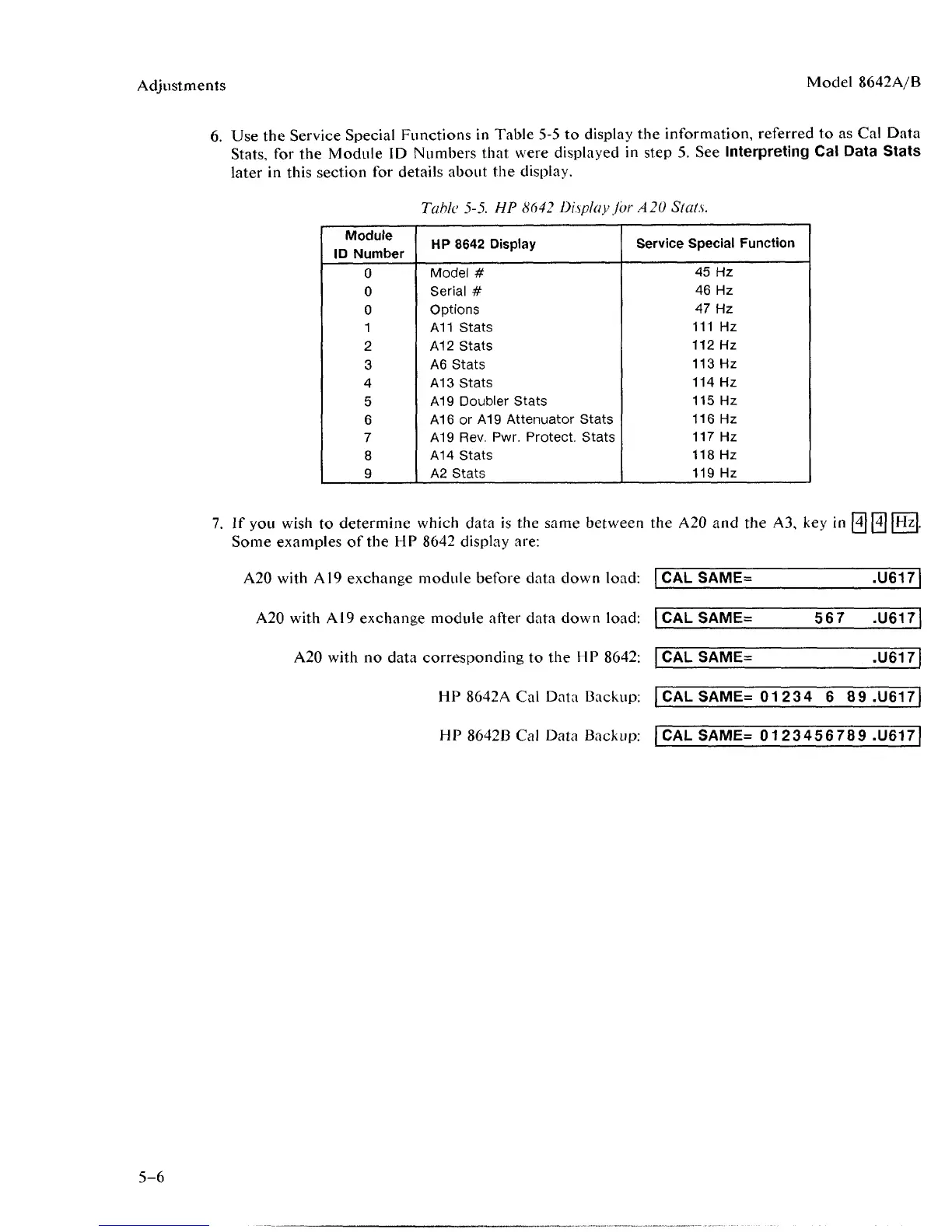
6. Use the Service Special Functions in Table 5-5 to display the information, referred to as Cal Data
Stats,
for the Module ID Numbers that were displayed in step 5. See Interpreting Cal Data Stats
later in this section for details about the display.
Table 5-5. HP 8642 Display for A 20 Slats.
Module
ID Number
0
0
0
1
2
3
4
5
6
7
8
9
HP 8642 Display
Model #
Serial #
Options
A11 Stats
A12 Stats
A6 Stats
A13 Stats
A19 Doubler Stats
A16 or A19 Attenuator Stats
A19 Rev. Pwr. Protect. Stats
A14 Stats
A2 Stats
Service Special Function
45 Hz
46 Hz
47 Hz
111 Hz
112 Hz
113 Hz
114 Hz
115 Hz
116 Hz
117 Hz
118 Hz
119 Hz
7.
If you wish to determine which data is the same between the A20 and the A3, key in [4] [4] |Hz
Some examples of the HP 8642 display are:
A20 with A19 exchange module before data down load: CAL SAME=
.U617
A20 with AI9 exchange module after data down load: CAL SAME=
567 .U617
A20 with no data corresponding to the HP 8642: CAL SAME
.U617
HP 8642A Cal Data Backup: CAL SAME= 01234 6 89 .U617
HP 8642B Cal Data Backup: CAL SAME= 0123456789 .11617
5-6



 To Next Page