8
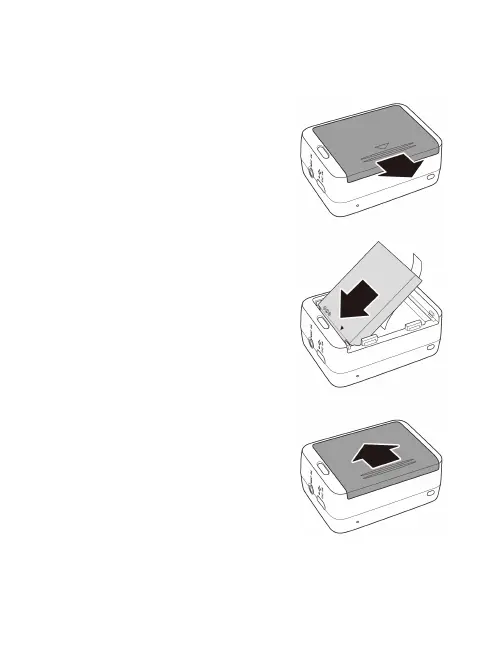
Etape 2 : installer la batterie
1. Pousser le couvercle du
compartiment batterie pour l'ouvrir.
2. Aligner les contacts de la batterie,
puis insérer la batterie dans le
compartiment avec le ruban sous la
batterie.
3. Fermer le couvercle du
compartiment de la batterie



 To Next Page