Hardware and Software Guide 3–1
3
TouchPad and Keyboard
TouchPad
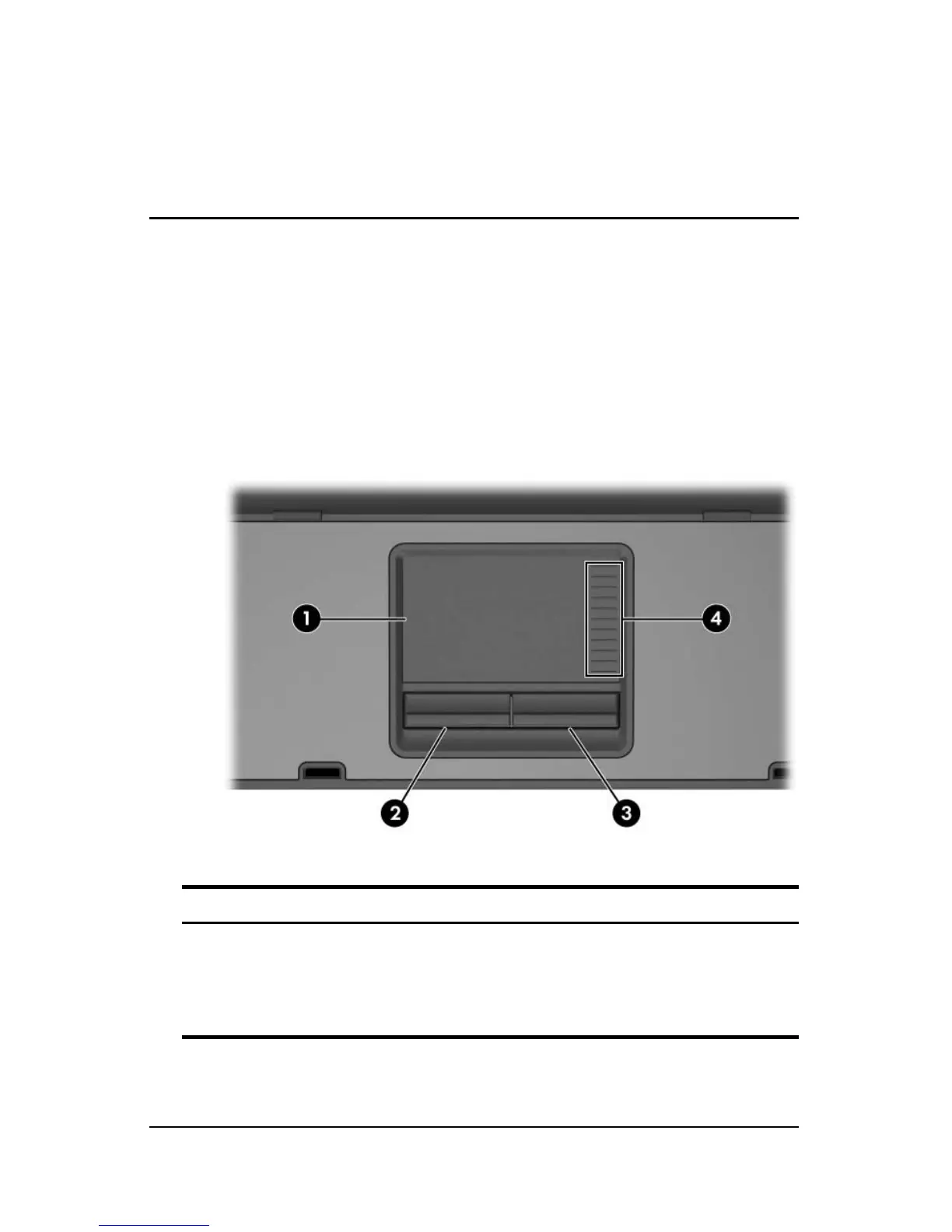
The following illustration and table identify and describe the
notebook TouchPad.
Component Description
1
TouchPad* Moves the pointer and selects or
activates items on the screen. Can be
set to perform other mouse functions,
such as scrolling, selecting, and
double-clicking.
(Continued)



 To Next Page