Need help?
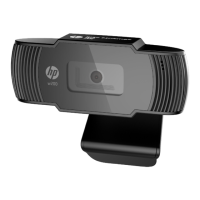
Do you have a question about the HP Deluxe Webcam and is the answer not in the manual?
Explains the guide's purpose and features covered.
Steps to record videos using ArcSoft WebCam Companion.
How to initiate video chats with popular IM applications.
Guide to using the webcam for continuous monitoring.
Instructions for editing videos using provided software.
Steps to capture still images using the webcam.
Instructions for editing captured pictures with HP Photosmart Essential.
How to adjust brightness and contrast levels for image quality.
Steps to create and save custom webcam profiles.
Configuring settings for image and video capture.
Manual adjustments for focus, exposure, and LED settings.
Fixes for fuzzy images, including autofocus adjustments.
Resolving interference lines by adjusting frequency settings.
Disabling autofocus and manually adjusting focus on specific models.
Troubleshooting software conflicts and application usage.
Resolving issues with webcam button functionality and software.
Adjusting audio settings to prevent echo or feedback.
Synchronizing audio and video by adjusting resolution settings.
 General
| Connectivity | USB |
|---|---|
| Frame Rate | Up to 30 fps |
| Focus Type | Fixed focus |
| Built-in Microphone | Yes |
| Compatibility | Windows, macOS |
| Mounting Type | Clip-on |
| Resolution | HD 720p |

 To Next Page