14
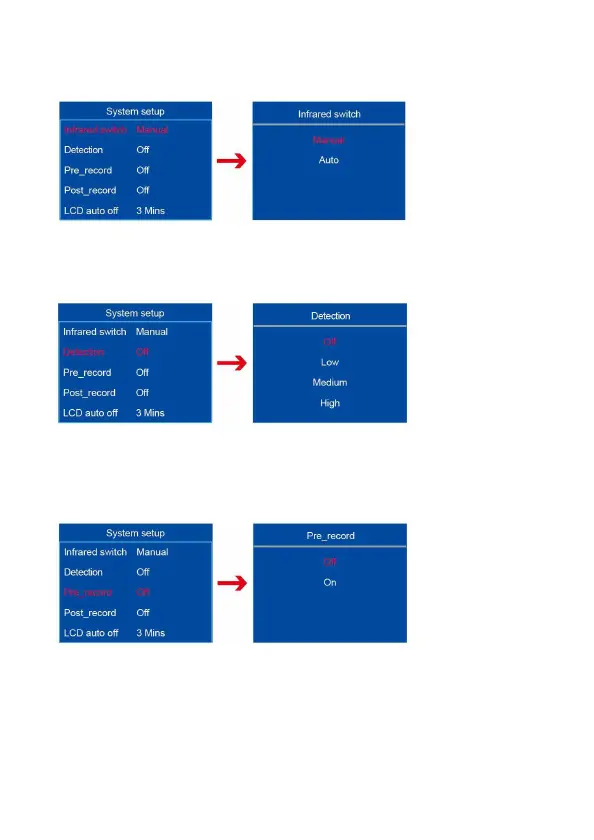
7.11 Infrared switch
Infrared switch has “Manual, Auto” 2 options. Default is manual.
7.12 Detection
Detection means motion detection. There are “Off, Low, Medium, High” 4
options. Default is off.
7.13 Video pre-recording
Video pre-recording has ”On, Off” 2 options. Pre-recording means 5
seconds before you press the recording button will be recorded in the file.
Default is off.



 To Next Page