Unit Environment and
Unit Environment andUnit Environment and
Unit Environment and
Operating Conditions
Operating ConditionsOperating Conditions
Operating Conditions
General Unit Operating Guidelines
General Unit Operating GuidelinesGeneral Unit Operating Guidelines
General Unit Operating Guidelines
Keep the computer away from excessive moisture, direct moisture and the extremes of heat and
cold, to ensure that unit is operated within the specified operating range.
Leave a 4 in (10.2 cm) clearance on all vented sides of the computer to permit the required
airflow.
Never restrict airflow into the computer by blocking any vents or air intakes.
Do not stack computers on top of each other or place computers so near each other that they are
subject to each other's re-circulated or preheated air.
Occasionally clean the air vents on the front, back, and any other vented side of the computer.
Lint, dust and other foreign matter can block the vents and limit the airflow.
If the computer is to be operated within a separate enclosure, intake and exhaust ventilation must
be provided on the enclosure, and the same operating guidelines listed above will still apply.
Temperature Range
Temperature RangeTemperature Range
Temperature Range
Operating: 50° to 95° F (10° to 35° C)
Non-operating: -22° to 140° F( -30° to 60° C)
Relative Humidity
Relative HumidityRelative Humidity
Relative Humidity
Operating: 10% to 90% (non-condensing at ambient)
Non-operating: 5% to 95% (non-condensing at ambient)
Maximum Altitude
Maximum AltitudeMaximum Altitude
Maximum Altitude
(unpressurized)
Operating: 10,000 ft (3048 m)
Non-operating: 30,000 ft (9000 m)
NOTE:
NOTE:NOTE:
NOTE:
Operating temperature is de-rated 1.0 deg C per 1000 ft (300 m) to 10,000 ft (3000 m) above
sea level, no direct sustained sunlight. Maximum rate of change is 10 deg C/Hr. The upper limit may be
limited by the type and number of options installed.
System Board
System BoardSystem Board
System Board
Processor
ProcessorProcessor
Processor
Socket T; LGA775 industry standard Micro ATX form factor
Support single Intel Pentium 4 or Celeron D
PWM
PWMPWM
PWM
Intersil 6566 VRM 10.1
Chipset
ChipsetChipset
Chipset
ATI RC410 (Northbridge), ATI SB450 (Southbridge)
Super I/O
Super I/OSuper I/O
Super I/O
W83627EHG
Front Side Bus Frequency
Front Side Bus FrequencyFront Side Bus Frequency
Front Side Bus Frequency
533/800 MHz
Memory
MemoryMemory
Memory
DDR2 SDRAM
2 x DIMM slots
NOTE:
NOTE: NOTE:
NOTE:
The HP Compaq dx2200 Microtower memory frequency is clocked
at 630 MHz.
Clock Generator
Clock GeneratorClock Generator
Clock Generator
RTM865
Integrated Graphics
Integrated GraphicsIntegrated Graphics
Integrated Graphics
Built-in ATI graphics processor derived from the Radeon X300
provided by the ATI Radeon Xpress 200 chipset
Audio
AudioAudio
Audio
Realtek ALC861 HD Audio compatible codec with two channel audio
3D audio compliant with AC'97 rev. 2.3
LOM
LOMLOM
LOM
Realtek 8100c Fast Ethernet 10/100
IDE
IDEIDE
IDE
Support all PIO modes
1 x IDE ports support up to 2 devices
Support Ultra ATA 33/66/100
Serial
SerialSerial
Serial
Two Serial ATA interfaces support data transfer rates up to 1.5 Gb/s
Expansion Slots
Expansion SlotsExpansion Slots
Expansion Slots
2 x PCI 2.3 slots
1 x PCI Express x1 slot
1 x PCI Express x16 slot
BIOS
BIOSBIOS
BIOS
LPC EEPROM
QuickSpecs
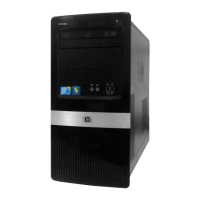
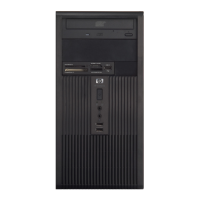
HP Compaq dx2200 Microtower Business PC
HP Compaq dx2200 Microtower Business PCHP Compaq dx2200 Microtower Business PC
HP Compaq dx2200 Microtower Business PC
System Details
DA - 12426 North America — Version 14 — August 16, 2006
Page 8







 To Next Page