EasyManua.ls Logo

HP Elite 7300 MT - User Manual

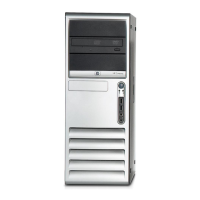
HP Elite 7300 MT
25 pages
Print Icon
To Next Page IconTo Next Page
Loading...

Questions and Answers

  • F
    fparkerSep 23, 2025
    Why is my HP Desktop removable hard drive beeping?
    • M
      Mr. Robert IngramSep 23, 2025
      If the removable hard drive enclosure is beeping and the green LED is flashing on your HP Desktop, the fan failure alarm on the removable hard drive enclosure has been activated. Shut down the computer and contact HP for a replacement enclosure.
  • M
    Michael MasonAug 23, 2025
    What to do if my HP Elite 7300 MT Desktop won't power on?
    • T
      Tamara PerezAug 23, 2025
      If your HP Desktop system does not power on and the LEDs are not flashing, press and hold the power button for less than 4 seconds. If the hard drive LED turns green, check that the voltage selector is set correctly for your region. Also, try removing expansion cards one at a time until the 5V_aux light on the system board turns on, or replace the system board. If the hard drive LED does not turn on green, ensure the unit is plugged into a working AC outlet. Open the hood and check that the power button harness and both power supply cables are properly connected to the system board. Check if the 5V_aux light on the system board is on; if it is, replace the power button harness; if it is off, replace the power supply or the system board.
  • J
    John ReyesAug 25, 2025
    What to do if HP Elite 7300 MT Desktop won't respond to keyboard or mouse?
    • C
      Calvin ChristensenAug 26, 2025
      If your HP Desktop is not responding to the USB keyboard or mouse, the computer may be in standby mode. To resume, press the power button or any key. If the system has locked up, restart the computer.
  • J
    Joseph CunninghamAug 27, 2025
    How to fix no sound on HP Elite 7300 MT Desktop?
    • K
      Kimberly GonzalezAug 27, 2025
      If there is no sound or the sound volume is too low on your HP Desktop, check the F10 BIOS settings to ensure the internal system speaker is not muted. Also, make sure the external speakers are properly connected and powered on, and that the speakers' volume control is set correctly. Use the system volume control in the operating system to ensure the speakers are not muted and to increase the volume.
  • M
    monica13Aug 27, 2025
    Why does my HP Elite 7300 MT Desktop power off and flash a red light?
    • M
      Meghan NolanAug 27, 2025
      If your HP Desktop powered off automatically, the Power LED flashes red two times, and the computer beeps two times, it indicates that the processor thermal protection has been activated. Ensure that the computer air vents are not blocked and the processor cooling fan is running. Open the hood, press the power button, and see if the processor fan spins. If the fan is not spinning, make sure the fan's cable is plugged onto the system board header. If the fan is plugged in but not spinning, replace the heat sink/fan assembly. If problems persist, contact an authorized reseller or service provider.
  • M
    Mr. John KennedySep 17, 2025
    How to move cursor with arrow keys on HP Elite 7300 MT?
    • K
      Kaitlyn WallaceSep 17, 2025
      If the cursor will not move using the arrow keys on the keypad of your HP Desktop, the Num Lock key may be on. Press the Num Lock key; the Num Lock light should not be on if you want to use the arrow keys.
  • D
    Danielle SalazarSep 14, 2025
    Why can't my HP Elite 7300 MT read a diskette?
    • M
      Melanie BergSep 14, 2025
      If the diskette drive on your HP Desktop cannot read a diskette, make sure you are using the correct diskette type for the drive type. Check the drive letter in the path statement. If the diskette is damaged, replace it with a new one.
  • N
    Nicholas SanchezSep 15, 2025
    What does 'Invalid system disk' mean on my HP Elite 7300 MT Desktop?
    • M
      Mrs. Tara RobertsSep 15, 2025
      If you see an 'Invalid system disk' message on your HP Desktop, it means a diskette without the necessary system files has been inserted. When drive activity stops, remove the diskette and press the Spacebar to start the computer. If a diskette error has occurred, restart the computer by pressing the power button.
  • J
    James KingSep 6, 2025
    Why does my HP Desktop power supply shut down randomly?
    • I
      Ivan GreenSep 6, 2025
      If the power supply in your HP Desktop shuts down intermittently, check the voltage selector switch on the rear of the computer chassis (on some models) to ensure it is switched to the correct line voltage (115V or 230V). Select the proper AC voltage using the selector switch. If the power supply will not turn on because of an internal fault, contact an authorized service provider to replace the power supply.
  • A
    andrew00Sep 3, 2025
    How to fix hard drive error on HP Desktop?
    • L
      Luis ClarkSep 3, 2025
      If a hard drive error occurs on your HP Desktop, use the error-checking tool in Windows. In Windows XP, right-click Start, click Explore, and select a drive. Select File > Properties > Tools. Under Error-checking, click Check Now. In Windows Vista or Windows 7, right-click Start, click Explore, and right-click on a drive. Select Properties then select the Tools tab. Under Error-checking click Check Now. Alternatively, use a utility to locate and block usage of bad sectors. If necessary, reformat the hard disk.

HP Elite 7300 MT Specifications

General IconGeneral
MemoryUp to 16 GB DDR3
Form FactorMicrotower
ProcessorIntel Core i3/i5/i7
GraphicsIntegrated Intel HD Graphics or optional discrete graphics
Optical DriveDVD-ROM
Operating SystemWindows 7 Professional
AudioIntegrated High Definition Audio
NetworkIntegrated Gigabit Ethernet
PortsUSB 2.0, VGA
Power Supply300W
Dimensions175 x 410 x 378 mm
Weight8 kg
StorageHDD or SSD

Related product manuals