Factory Integration
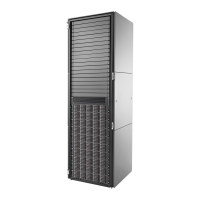
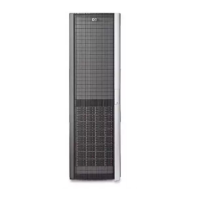
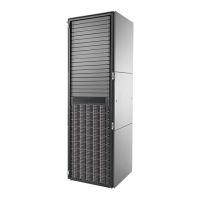
Start your order by choosing a rack to house your EVA P6000 based on an HP Rack.
Primary Configuration
Rules
The EVA P6000 will be configured into a 42U HP Rack with the appropriate PDU. If other
products such as servers or back-up products are included in the cab, a different PDU
will be added (if required) or can be chosen from a list of appropriate offerings shown in
the configuration tool. An HP Rack must be purchased for factory configuration.
Additional EVA P6000 controller enclosures and drive enclosures may be ordered for
multiple subsystem integration at the factory.
The 5642 (42U) Rack Cabinet System is supported for field installation. This rack may
be purchased along with EVA component pieces for assembly in the field. The HP 5642
rack system is an entry level rack with sufficient features for easy access and ease of
use.
When calculating available U-space, assume that no space will be placed between the
mounted components. For redundancy, order PDUs in quantities of two. Refer to the
Configuration and User Guide in the Information Library at the Rack Solutions webpage.
HP Racks
NOTE:
The number of EVA P6000 components that will fit in a rack varies and is
determined by the interior U-space of the cab.
For more information on the HP rack offerings, please see the following URL:
http://h18004.www1.hp.com/products/servers/platforms/rackandpower.html
For more information on PDUs, see:
http://h18004.www1.hp.com/products/servers/proliantstorage/power-
protection/pdu.html
HP PDU Pivot Kit
(0U PDU option)
HP EVA PDU Pivot Kit
AG730A
Used to reclaim 2U of space in a Rack with EVA P6000 configurations. This kit allows the
PDUs to be placed in the back of the rack without requiring any rack U space.
NOTE:
The use of the PDU Pivot Kit is strongly recommended and is the default option
when orders are configured, as it will save 2U of valuable rack space.
NOTE:
0D1 will appear after this part number to indicate factory integration where
appropriate.
Non-HP rack and power
requirements
For detailed information on determining compatibility of a non-HP rack, please review
the information included in the EVA P6000 User Guide which can be found at:
http://www.hp.com/go/P6000
Expansion Options
The EVA P6000 Dual Controller enclosure can be added on-site into existing EVA
configurations (or qualified rack systems), using the EVA P6300/P6350 Combo kit,
P6300/P6350 Starter kit, or P6500/P6550 dual controller SKUs listed earlier.
Additional SAS drive enclosures, either SFF or LFF, listed earlier, can be ordered to
expand an EVA P6000 configuration.
Additional hard disk drives can be ordered using the drive SKUs listed earlier.
SAS expansion cable kit
HP 6 Meter Expansion Cable Kit
AP879A
QuickSpecs
HP EVA P6000 Storage
Configuration Information and Configuration Rules
DA - 13904 Worldwide — Version 26 — September 30, 2013
Page 38


 To Next Page
 Loading...