Setting Up the Monitor
User’s Guide 3–3
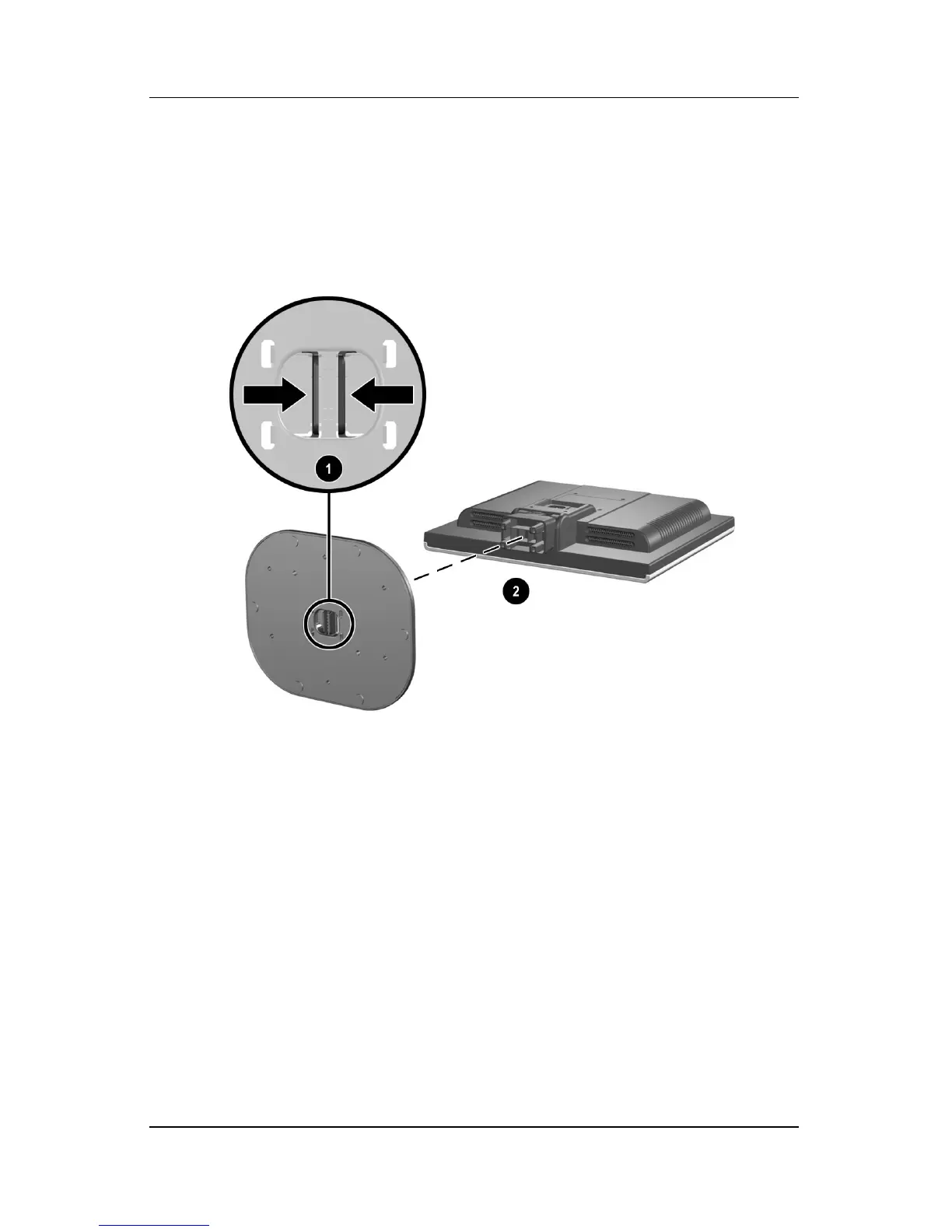
If you need to remove the pedestal base, lay the monitor down on
a soft protected surface. On the bottom side of the pedestal base,
press together the two tabs as shown in the following illustration.
This will release the pedestal from the base.
Removing the Pedestal Base


 To Next Page