3–8 User’s Guide
Setting Up the Monitor
1. Disconnect and remove the signal and power cables from the
back of the monitor.
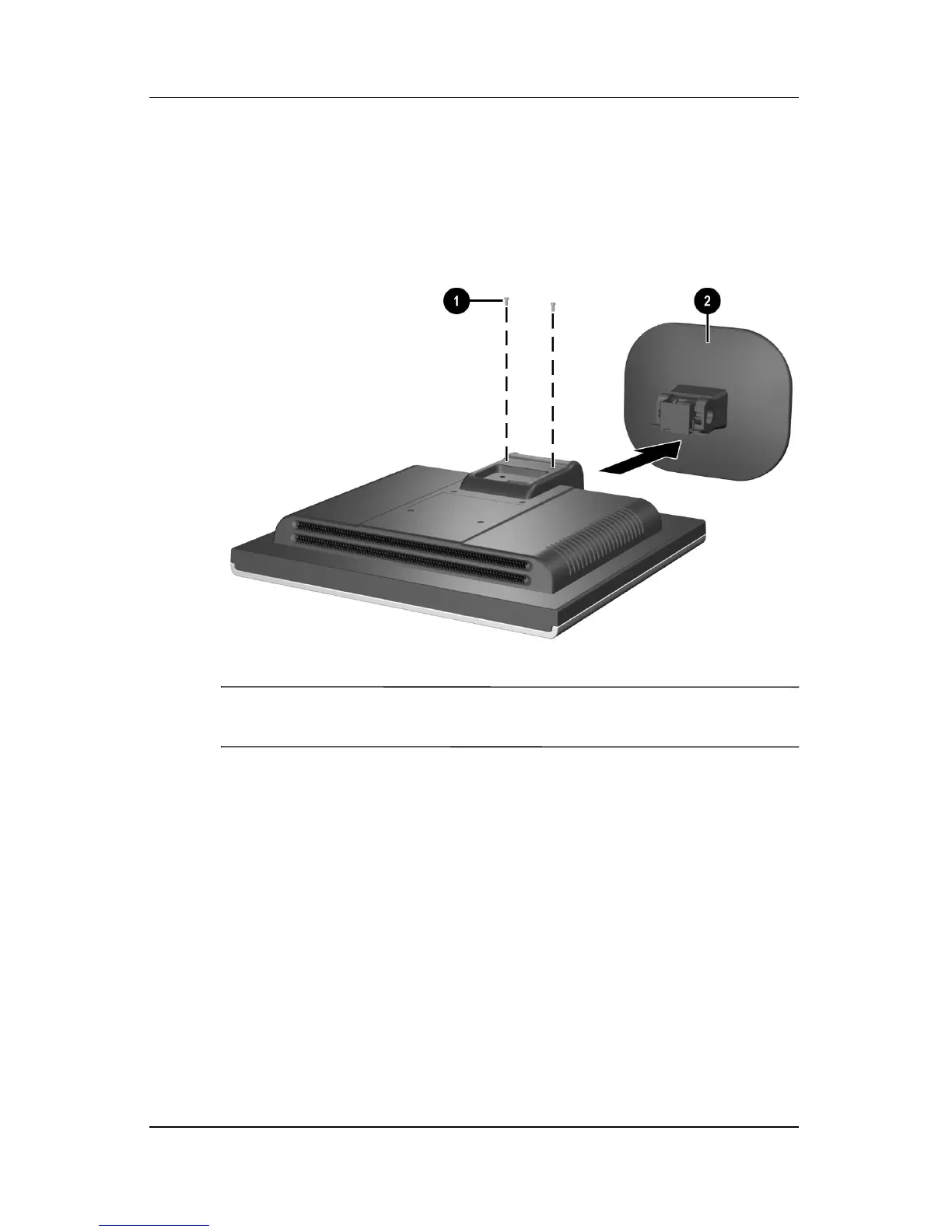
2. Remove the two screws 1 as shown in the following
illustration.
Removing the Monitor Base
Ä
CAUTION: Ensure that the bottom of the monitor base is positioned
over a table or desktop before removing the base from the monitor.
3. Remove the monitor base from the monitor.


 To Next Page