28
Use Tasks
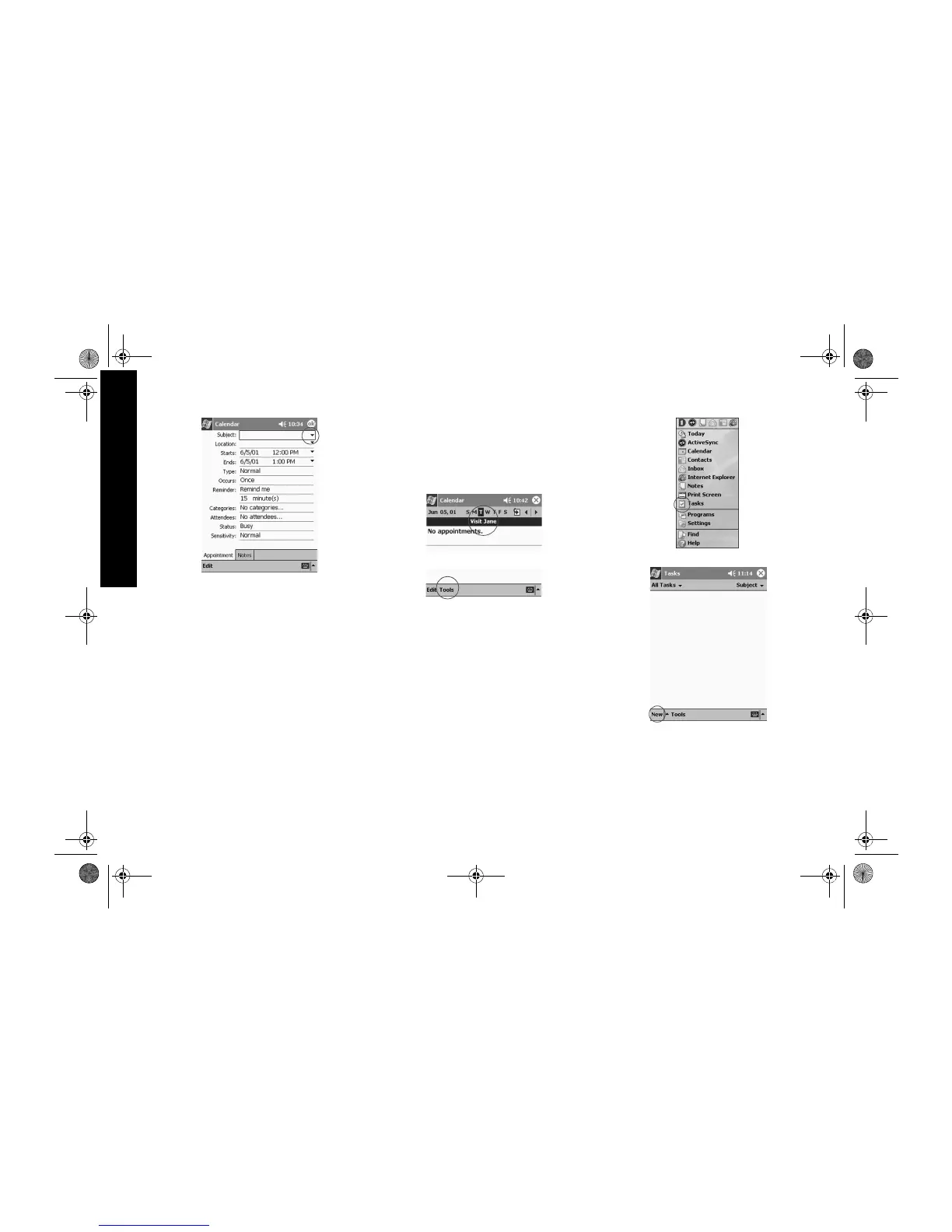
Tap the down arrow to select a predefined subject
If you do not enter a subject, you see No subject in the
field
4 Tap any item to enter additional information
For example, to schedule an All Day appointment, tap
Type and tap All Day
By default, a reminder of 15 minutes is set
5 Tap 15 and tap the down arrow to change the time
of the reminder
6 Tap minute(s) to change the unit of time
7 Tap OK to set the reminder and schedule the
appointment
Delete an appointment
Hint: Tap and hold an appointment and choose Delete
Appointment from the pop-up menu to delete an
appointment.
1 From the Start menu, tap Calendar
2 Tap an appointment to view it
3 Tap Tools
4 Tap Delete Appointment
5 Tap Yes to delete the appointment permanently
Use Tasks
Use Tasks to
• create new tasks
• delete a task
Create a task and set a reminder
Hint: Create a task and set a reminder from the Today
screen.
1 From the Start menu, tap Tasks
2 Tap New to create a new task
3 Enter the subject
GS 8x5.book Page 28 Friday, February 14, 2003 3:45 PM



 To Next Page