Chapter – General Information 9
Reading a ream label
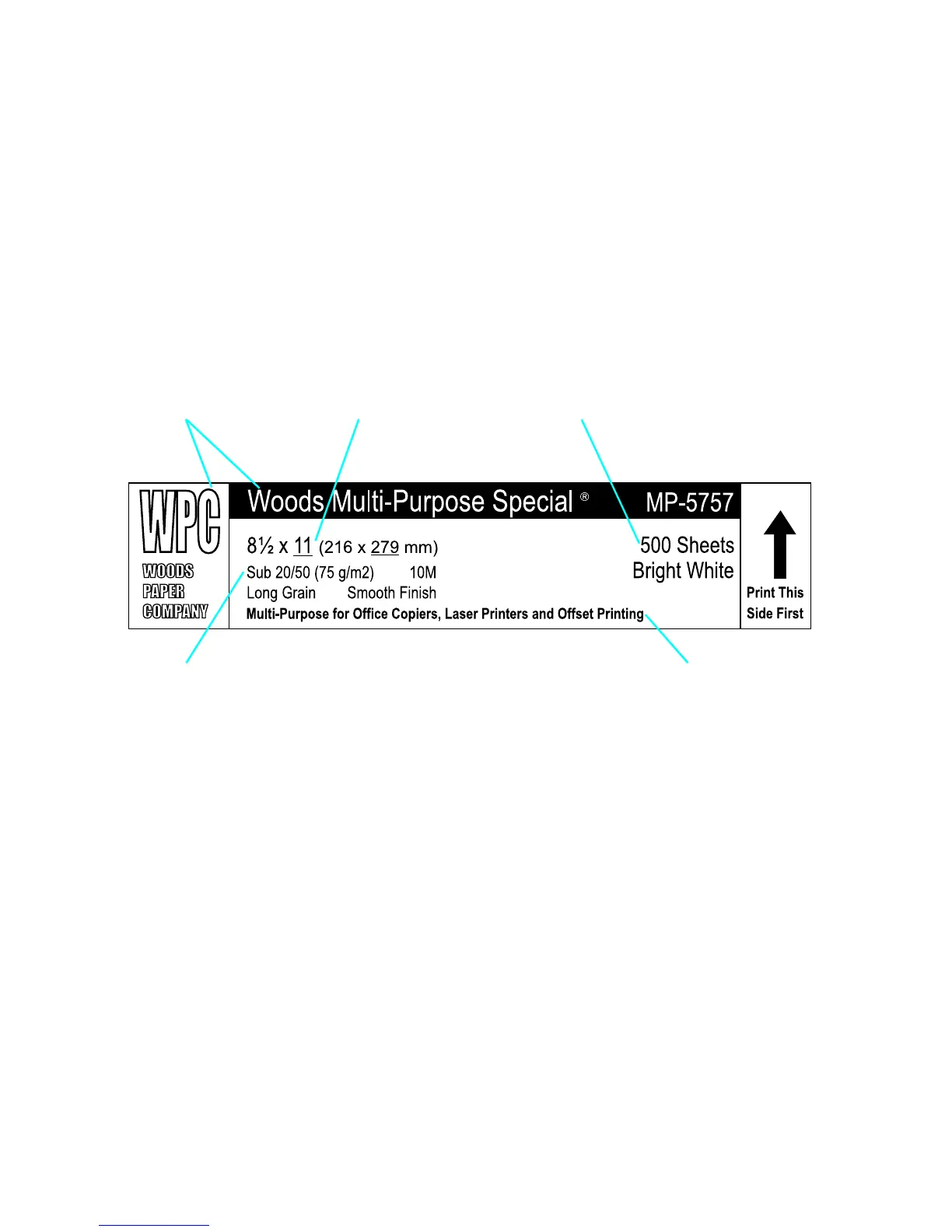
A ream label is placed on the outside of the paper wrapping. The
ream label usually indicates basis weight, size, number of sheets,
grain direction, and grade. The printing surface of the paper might be
indicated by an arrow on the ream label, although some
manufacturers do not specify a print side. Paper should be loaded
into the printer so that the surface indicated by the arrow will be the
printing surface. The printing surface might be facing up or down in
the input tray, depending on the printer model and the paper-feeding
source.
Manufacturer name Paper size
Basis weight Paper type
Quantity



 To Next Page