This document is a Maintenance and Service Guide for an HP laptop, providing comprehensive information on its features, specifications, usage, and maintenance procedures.
Function Description
The HP laptop is a portable computing device designed for various tasks, including general computing, multimedia consumption, and professional work. It supports multiple operating systems, including Windows 10 and Windows 11, and offers features like a high-definition display, integrated audio, wireless connectivity, and various ports for external devices. The device is designed for user-accessible surface temperature limits defined by applicable safety standards, ensuring safe operation.
Important Technical Specifications
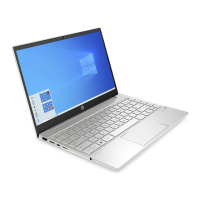
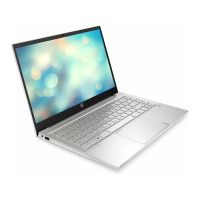
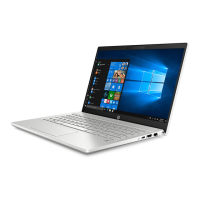
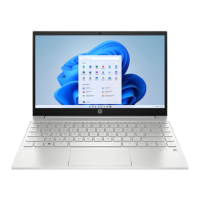
Product Name: HP Pavilion 13 Laptop PC
Model Numbers: 13-bb1xxx - 13-bb1999
CTO Model Number: 13t-bb100
Processors:
- Intel Core™ i7-1195G7 processor (2.9 GHz, turbo up to 5.0 GHz, 4 cores, 3200 MHz, 12 MB L3 cache, 12 W)
- Intel Core i5-1155G7 processor (2.5 GHz, turbo up to 4.5 GHz, 4 cores, 3200 MHz, 12 MB L3 cache, 12 W)
Graphics:
- Internal Graphics: Intel Iris® Xe Graphics
Display:
- Size: 33.8 cm (13.3 in), white light-emitting diode (WLED), narrow bezel
- High-definition (UHD): 3840 × 2160, BrightView, ultrawide viewing angle (UWVA) HDR-400, 95% sRGB, embedded DisplayPort (eDP) 1.4 + panel self-refresh (PSR), ultraslim/bent (2.0 mm/3.8 mm), 550 nits
- Full high-definition (FHD): 1920 × 1080, BrightView, UWVA, 45% CG, eDP 1.2 without PSR, slim-flat (3.0 mm), 250 nits
- Brightness: 250 nits (FHD), 550 nits (UHD)
- Viewing Angle: UWVA
- Backlight: WLED
- Display Panel Interface: eDP
Memory:
- On-board system memory, not upgradeable
- DDR4-3200 dual-channel support
- Configurations: 8 GB, 16 GB
Primary Storage (PCIe, NVMe, M.2 2280 solid-state drives):
- 1 TB, PCIe
- 1 TB solid-state drive + 32 GB Optane™ memory
- 512 GB, PCIe
- 512 GB solid-state drive + 32 GB Optane memory
- 256 GB, PCIe
- 256 GB solid-state drive + 16 GB Optane memory
Audio and Video:
- Audio Brand: B&O
- Audio Control Panel: B&O Audio Control
- Speakers: Dual speakers
- Support for HP Audio Boost
- HP Wide Vision HD Camera: indicator LED, USB 2.0, back-illuminated sensor, f2.0, wide dynamic range (WDR), 88° wide field-of-view (WFOV), 720p by 30 frames per second
- Microphone: Dual-array digital microphone with appropriate software: beam forming, echo cancellation, noise suppression
- Voice Assistants: Supports Alexa, Cortana (far field), XiaoWei
Wireless:
- Compatible with Miracast® devices
- Turbo Lite WLAN SVTP
- Support for Modern Standby (connected)
- Intel Bluetooth® audio offload
- Integrated wireless options with dual antennas:
- Intel Wireless-AC 9560 802.11ac 2x2 Wi-Fi® + Bluetooth 5 (non-vPro®)
- Intel Wi-Fi 6 AX201-W + Bluetooth 5 (non-vPro) (802.11ax 2x2)
Media Card Reader:
- Supports microSD™™, SDHC™™, SDXC™™
- Push-push insertion/removal mechanism
Ports:
- HDMI v2.0 + HDCP 2.2 supporting: up to 4096 × 2160 @ 60 Hz
- Audio-out (headphone)/audio-in (microphone) combo jack
- USB 3.2 Gen 2 Type-C (supports data transfer, power delivery, HP Sleep & Charge; DisplayPort 1.4 out up to 4096 × 2304 @ 60 Hz through adapter; HDMI 2.0 out up to 4096 × 2160 @ 60 Hz with HDCP 2.2 through USB-C® adapter)
- USB 3.2 Gen 1 Type-A (2)
- AC Smart Pin adapter plug
Keyboard/Pointing Devices:
- Keyboard: Full size, backlit, island style
- Touchpad: Clickpad with image sensor, multitouch gestures enabled, support for Modern Trackpad Gestures, taps enabled as default
Power Requirements:
- Battery: 3 cell, 43 Whr, polymer, HP Long Life
- Charging: HP Fast Charge Technology
- Smart AC Adapters (barrel type, 4.5 mm): 65 W, EM; 45 W
- Power Cord: C5, 1 m (3.3 ft)
Security:
- Supports Trusted Platform Module (TPM) 2.0, firmware based
- Integrated fingerprint reader (select products only)
Operating System:
- Windows® 11 Home 64
- Windows 11 Home 64 Advanced
- Windows 11 Home 64 Advanced Single Language
- Windows 11 Home 64 Chinese Market CPPP
- Windows 11 Home 64 High-end Chinese Market CPPP
- Windows 11 Home 64 Plus
- Windows 11 Home 64 Plus Single Language
- Windows 11 Home 64 Plus Single Language Africa Market
- Windows 11 Home 64 Plus Single Language APAC EM PPP
- Windows 11 Home 64 Plus Single Language India Market
- Windows 11 Home 64 Plus Single Language Indonesia Market
- Windows 11 Home 64 Single Language
- Windows 11 Home 64 Single Language Africa Market PPP
- Windows 11 Home 64 Single Language APAC EM PPP
- Windows 11 Home 64 Single Language India Market PPP
- Windows 11 Home 64 Single Language Indonesia Market PPP
- Windows 11 Home S 64
- Windows 11 Home S 64 Plus
- Windows 11 Home S 64 Plus Single Language
- Windows 11 Pro 64
- Windows 11 Pro 64 Chinese Market
- FreeDOS 3.0
Serviceability:
- End user replaceable parts
- AC adapter
Physical Dimensions:
- Width: 309 mm (12.2 in)
- Depth: 205 mm (8.1 in)
- Height (FHD): 16.9 mm (0.67 in)
- Height (UHD): 17.7 mm (0.7 in)
- Weight: 1315 g (2.9 lb)
Environmental Specifications:
- Operating Temperature: 5°C to 35°C (41°F to 95°F)
- Nonoperating Temperature: -20°C to 60°C (-4°F to 140°F)
- Operating Relative Humidity (noncondensing): 10% to 90%
- Nonoperating Relative Humidity: 5% to 95%
- Maximum Operating Altitude (unpressurized): -15 m to 3,048 m (-50 ft to 10,000 ft)
- Maximum Nonoperating Altitude: -15 m to 12,192 m (-50 ft to 40,000 ft)
Usage Features
The laptop is designed for ease of use with a full-size, backlit, island-style keyboard and a clickpad touchpad supporting multitouch gestures. It includes various ports for connectivity, such as HDMI, USB Type-C, and USB Type-A, allowing users to connect external displays, storage, and other peripherals. The integrated camera and dual-array microphones support video conferencing and voice commands. The device also features a low blue light mode for eye comfort.
Special Keys: The keyboard includes dedicated special keys for functions like escape, Windows key, and action keys, enhancing productivity. The power button also serves multiple functions, including initiating Sleep mode and exiting Hibernation.
Fingerprint Reader: For enhanced security, select models include an integrated fingerprint reader for Windows logon, offering a convenient alternative to password entry.
HP Easy Clean: This software feature, available on select products, temporarily disables input devices (keyboard, touchscreen, touchpad) to facilitate cleaning without accidental inputs.
HP PC Hardware Diagnostics: The laptop comes with HP PC Hardware Diagnostics, available in Windows and UEFI versions, to help users diagnose hardware issues. This tool can generate failure ID codes for support and allows for unattended diagnostics.
Backup, Restoring, and Recovery: The device supports various methods for data backup and system recovery, including Windows tools, HP Cloud Recovery Download Tool, and system restore points. These features help users maintain data integrity and restore the system to a working state in case of issues.
Maintenance Features
The guide provides detailed instructions for maintaining the laptop, including cleaning procedures and component replacement.
Cleaning:
- General Cleaning: Regular cleaning is recommended to remove dirt and debris. Users should wear disposable gloves, turn off the device, unplug power, and use a moist microfiber cloth. Abrasive cloths or paper towels should be avoided.
- Disinfecting: For disinfecting, a 70% isopropyl alcohol and 30% water solution is recommended. The cloth should be moist, not dripping wet.
- Wood Veneer Care (select products only): For models with wood veneer, a dry, static-free microfiber cloth or chamois is recommended. Ammonia, methylene chloride, acetone, turpentine, or petroleum-based solvents should be avoided. The wood should not be exposed to sun or moisture for long periods.
Electrostatic Discharge (ESD) Prevention:
- The guide emphasizes precautions to prevent ESD damage to electronic components, such as using static-safe containers, grounding methods (wrist straps, heel straps), and avoiding contact with pins and circuitry.
- It provides a table illustrating static electricity occurrence based on activity and humidity, highlighting the importance of proper grounding.
Tools Required for Service:
- Tweezers
- Nonconductive, nonmarking pry tool
- Magnetic Phillips P1 screwdriver
Component Replacement Procedures: The guide outlines step-by-step procedures for authorized service providers to remove and replace various internal components, including:
- Bottom cover
- Battery
- Solid-state drive
- USB board and door
- Speakers
- Audio board
- Fingerprint reader
- Fan
- Touchpad
- Power connector cable
- Heat sink
- System board
- Display assembly (including display bezel, panel, camera module, cables, wireless antennas, hinges, and back cover)
Spare Parts Catalog: A comprehensive catalog lists spare part numbers for major components, display assembly subcomponents, cables, and miscellaneous parts, facilitating easy identification and ordering of replacement parts.
Power Cord Requirements: Detailed requirements for power cord sets are provided for all countries and specific regions, ensuring compliance with local electrical standards.
Recycling: HP encourages customers to recycle used electronic hardware, print cartridges, and rechargeable batteries, providing information on recycling programs.

 Need help?




 To Next Page
 General