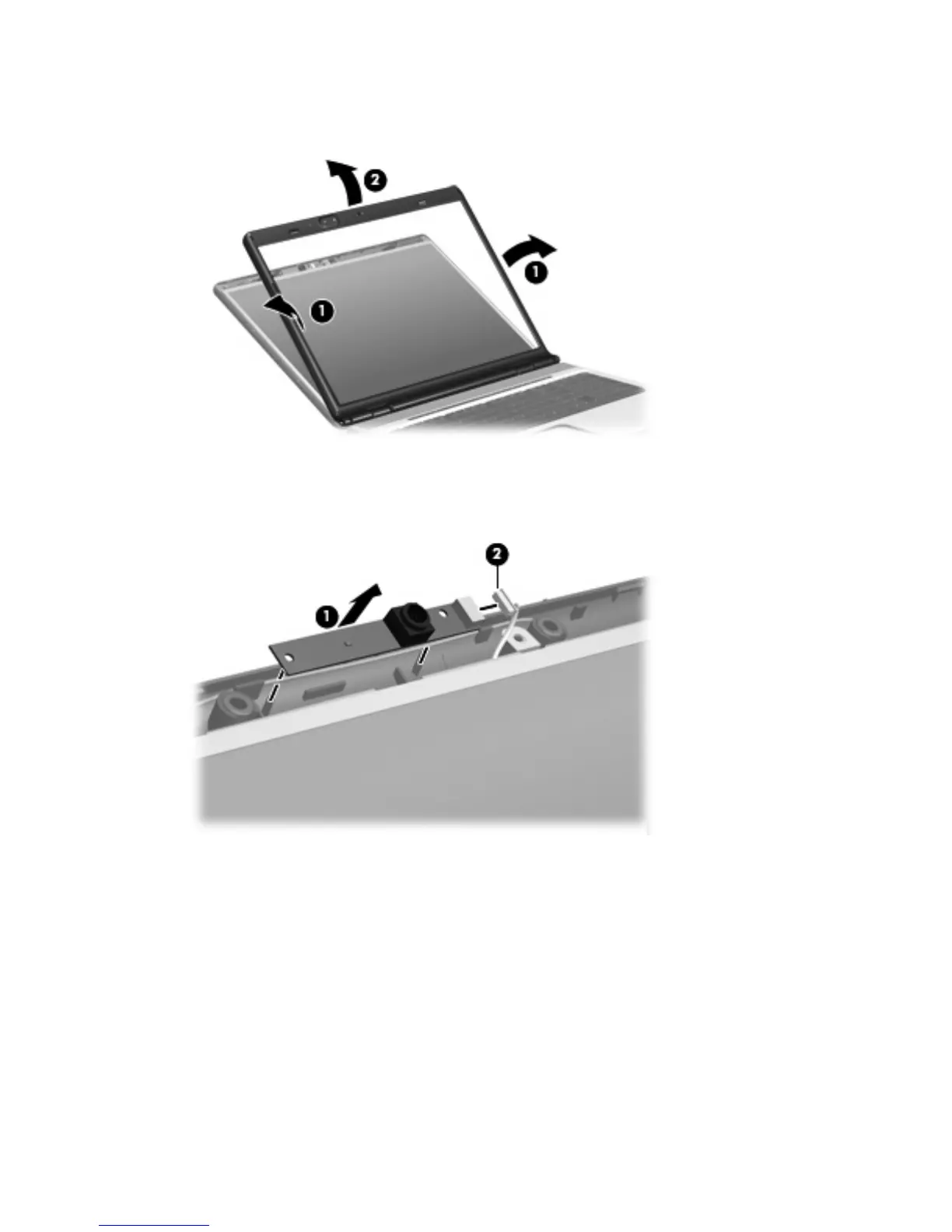
5. Flex the inside edges of the left and right sides (1) and the top edge (2) of the display bezel until
the bezel disengages from the display enclosure.
6. Release the camera module (1) from the display enclosure as far as the camera module cable
allows.
7. Disconnect the camera module cable (2) from the camera module.
8.
Remove the camera module.
Reverse this procedure to install the camera module.
48 Chapter 4 Removal and replacement procedures









 To Next Page