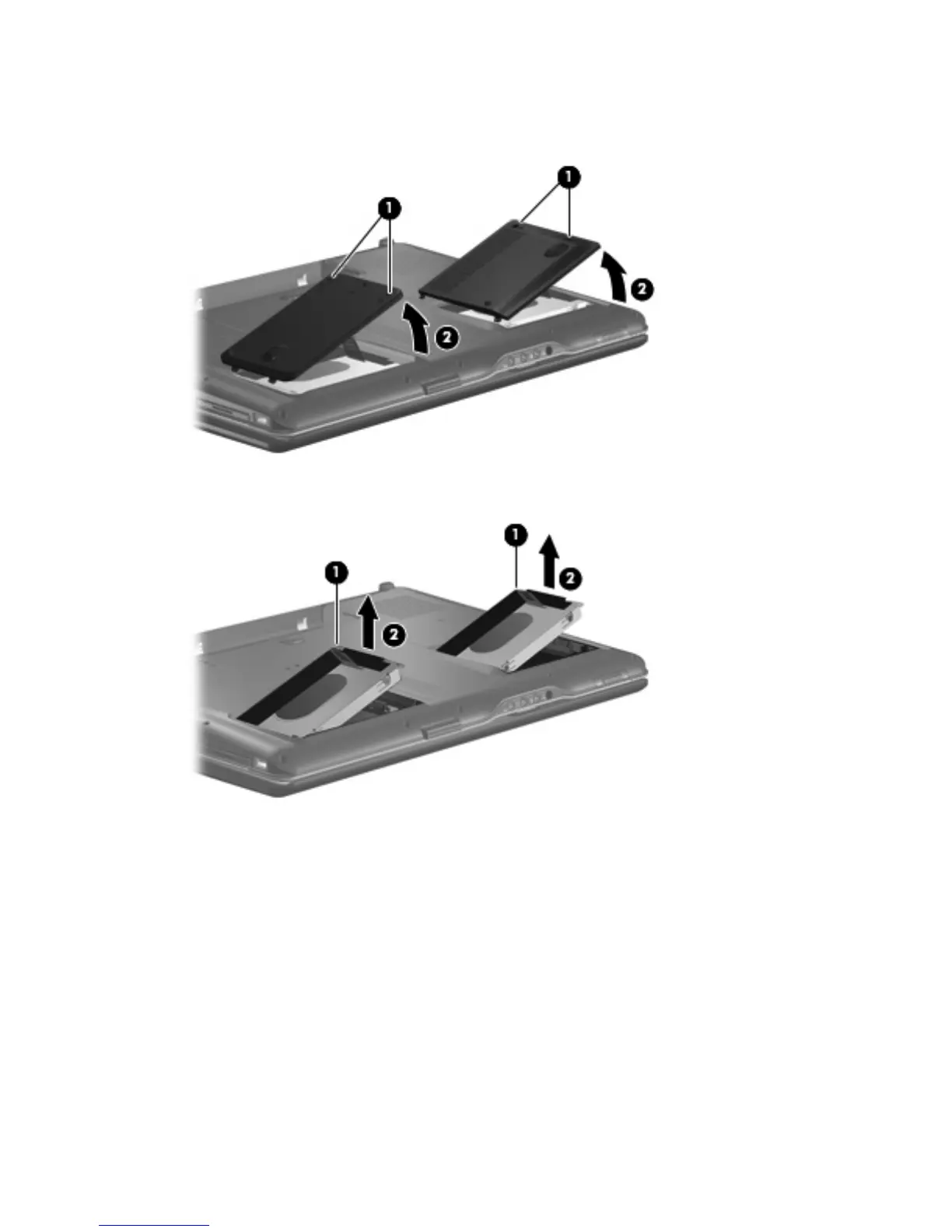
3. Lift the right side of the hard drive cover (2), swing it to left, then remove the cover. The hard drive
cover is included in the Plastics Kit, spare part number 448009-001 for computers with Intel
processors, 432981-001 for computers with AMD processors.
4. Use the Mylar tab (1) to lift the hard drive (2) until it disconnects from the computer.
5.
Remove the hard drive from the hard drive bay.
6. If it is necessary to replace the hard drive bracket, remove the four Phillips PM3.0×4.0 screws (1)
that secure the hard drive bracket to the hard drive.
52 Chapter 4 Removal and replacement procedures



 To Next Page