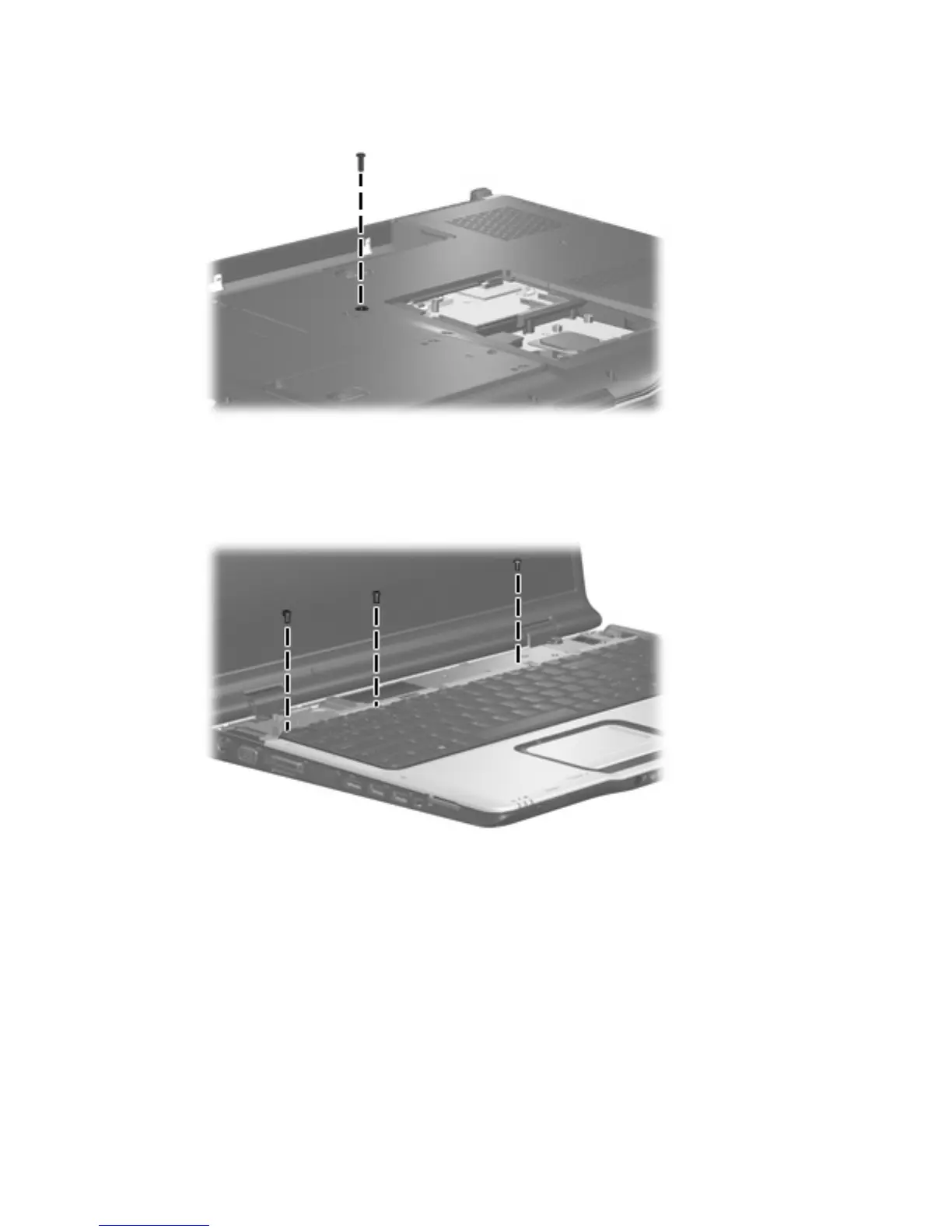
2.
Remove the Phillips PM2.5×8.0 screw that secures the keyboard to the computer.
3.
Turn the computer display-side up, with the front toward you.
4.
Open the computer as far as possible.
5.
Remove the three silver Phillips PM2.5×5.0 screws that secure the keyboard to the computer.
6. Lift the rear edge of the keyboard (1) until it rests at an angle.
7. Slide the keyboard (2) back to disengage the tabs on the front edge of the keyboard from the top
cover.
Component replacement procedures 65









 To Next Page