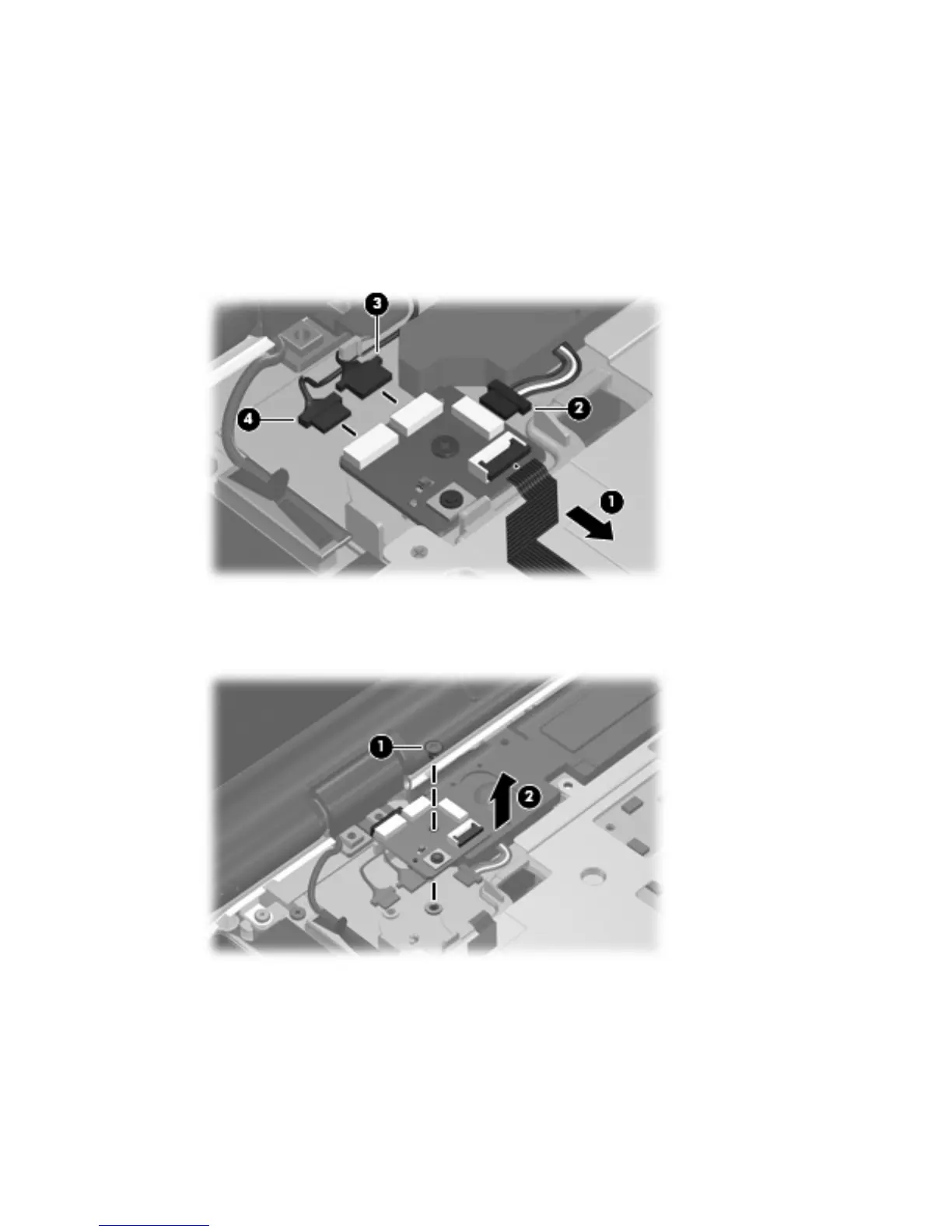
Remove the power button board:
1.
Disconnect the following cables from the power button board:
(1) Power button board cable
(2) Speaker assembly cable
(3) Display switch module cable
(4) Microphone cable
2. Remove the silver Phillips PM2.5×5.0 screw (1) that secures the power button board to the computer.
3. Remove the power button board (2).
Reverse this procedure to install the power button board.
Component replacement procedures 69









 To Next Page