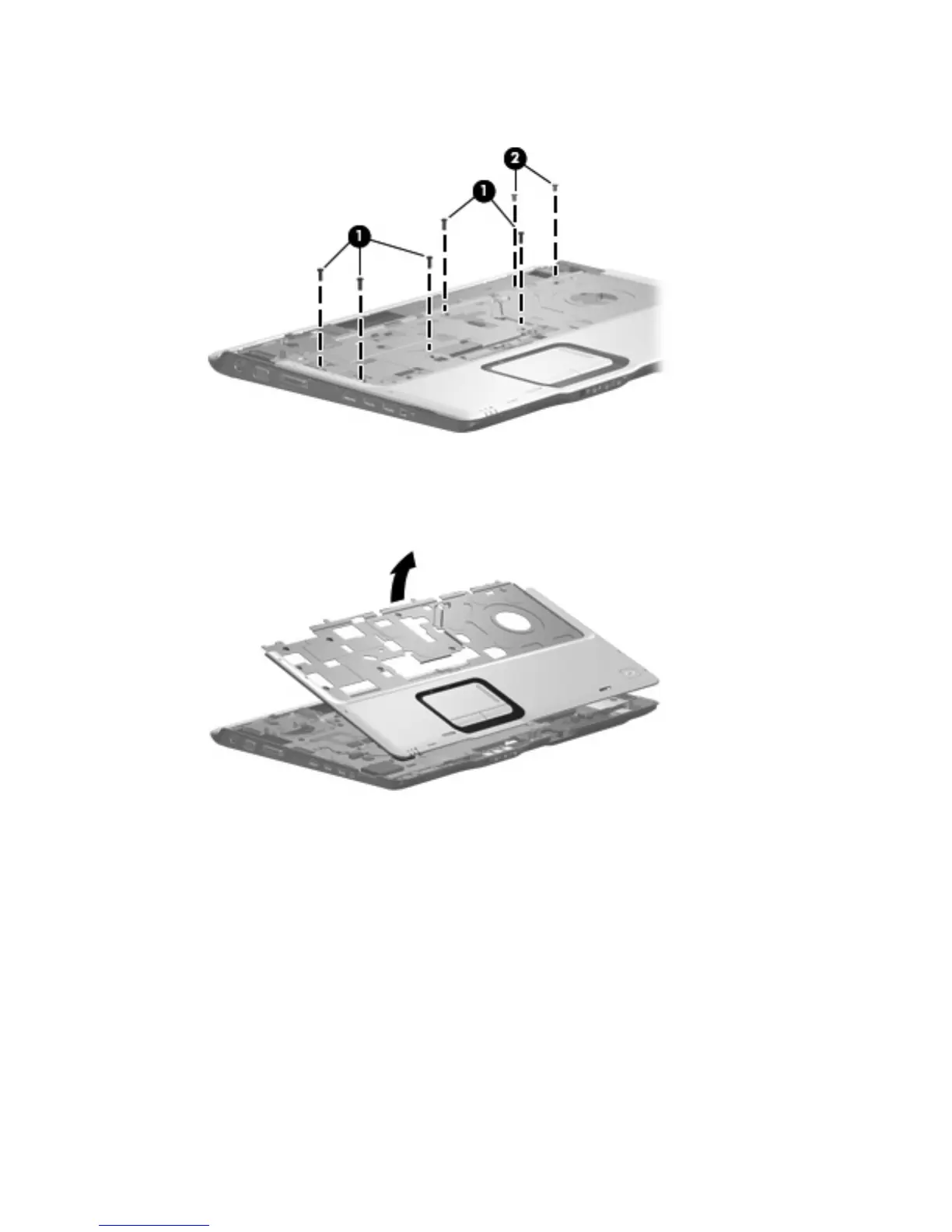
7. Remove the five Phillips PM2.5×8.0 screws (1) and the two silver Phillips PM2.5×5.0 screws (2)
that secure the top cover to the base enclosure.
8.
Lift the rear edge of the top cover until it disengages from the computer, then swing it up and forward
until the top cover is resting upside down in front of the computer.
Component replacement procedures 79









 To Next Page