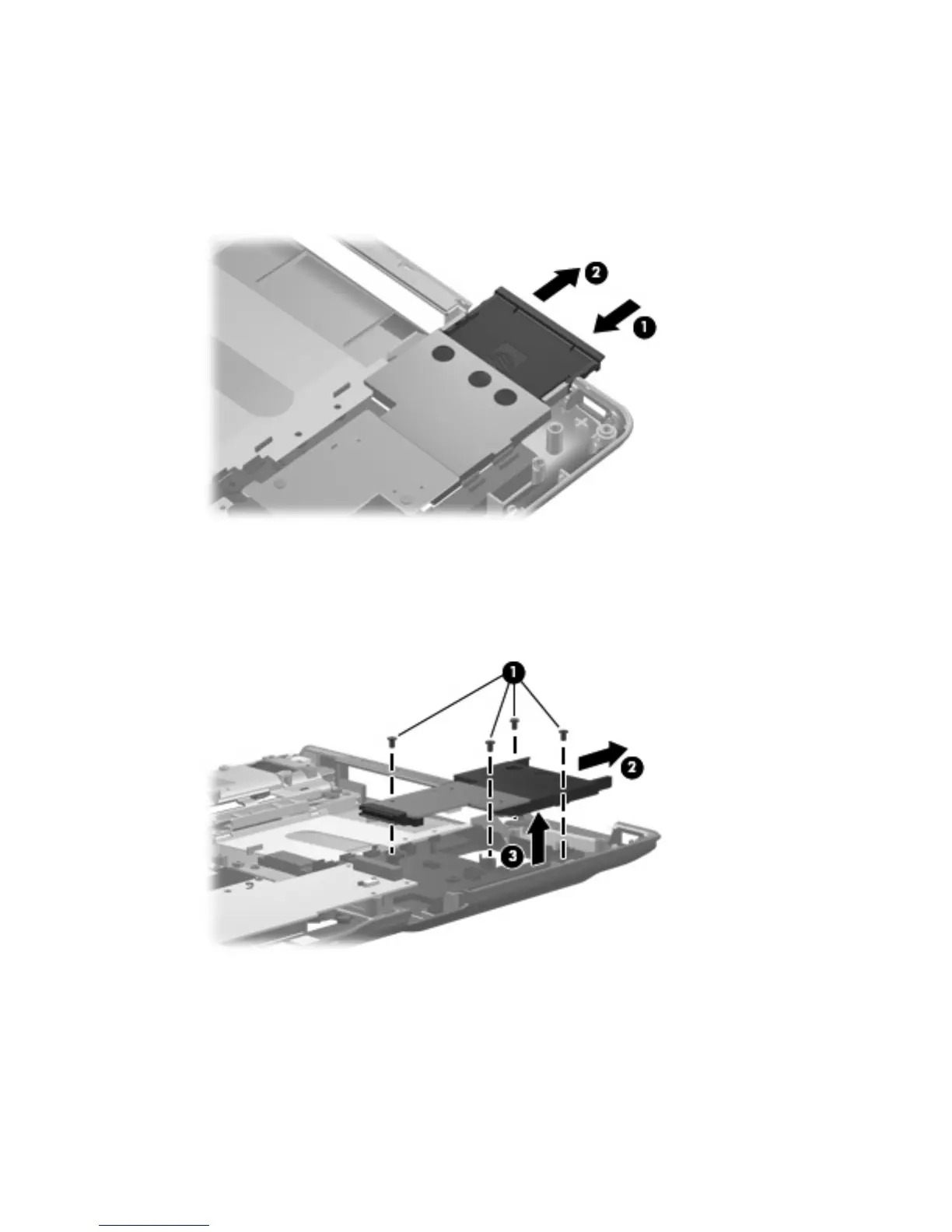
Remove the ExpressCard assembly:
1. Press the ExpressCard slot bezel (1) to release the bezel from the ExpressCard slot.
2. Remove the ExpressCard slot bezel (2). The ExpressCard slot bezel is included in the Plastics Kit,
spare part number 448009-001 for computers with Intel processors, 432981-001 for computers
with AMD processors.
3. Remove the four silver Phillips PM2.5×5.0 screws (1) that secure the ExpressCard assembly to the
system board.
4. Disconnect the ExpressCard assembly (2) from the system board by sliding it to the right.
5. Remove the ExpressCard assembly (3).
Component replacement procedures 87









 To Next Page