8.
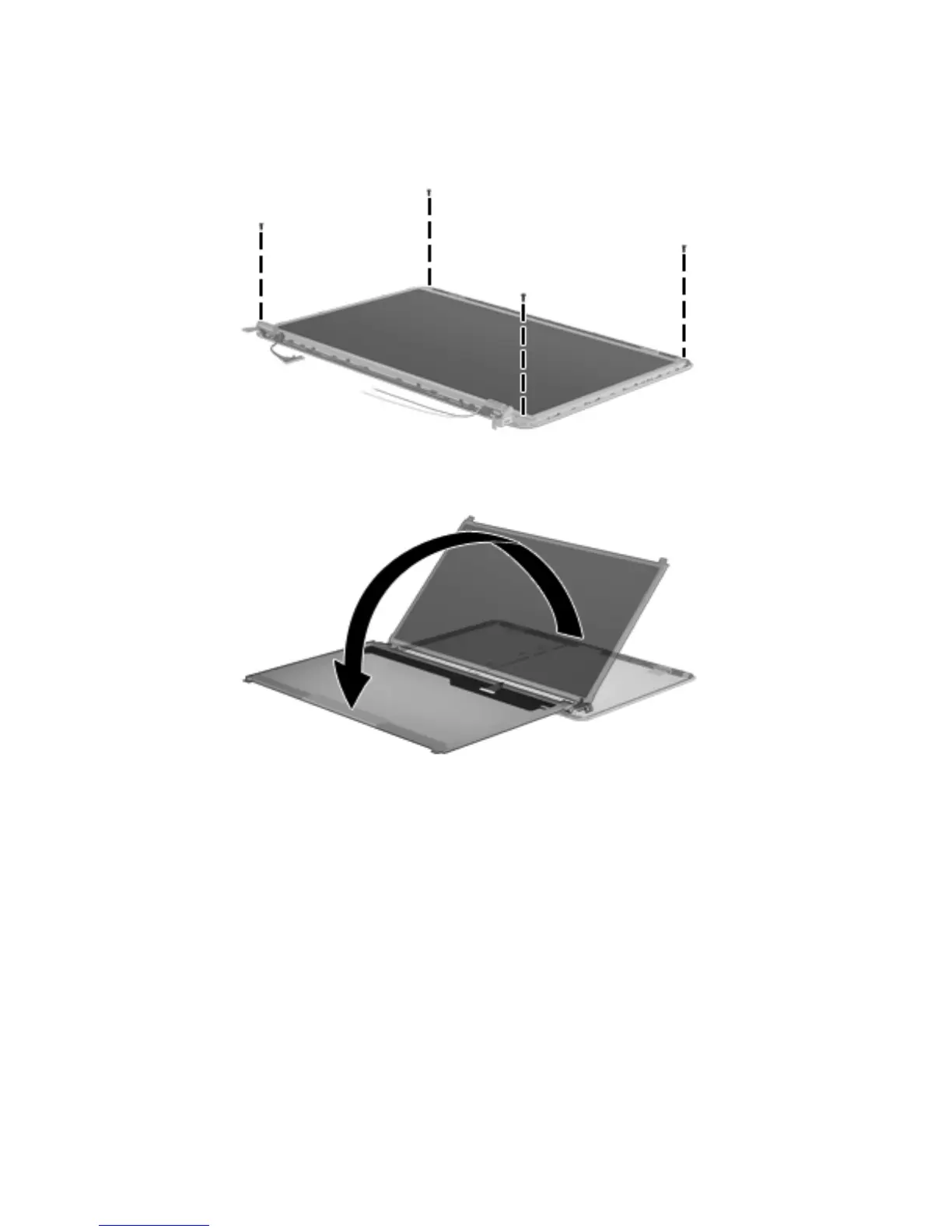
If it is necessary to replace the display panel:
a. Remove the four Phillips PM2.5×6.0 screws that secure the display panel to
the display enclosure.
b. Lift the top edge of the display panel, and then swing it up and forward until it rests upside
down in front of the display enclosure.
Component replacement procedures
97


 To Next Page
 Loading...