
 Need help?
Do you have a question about the HP Pavilion Power 15 and is the answer not in the manual?
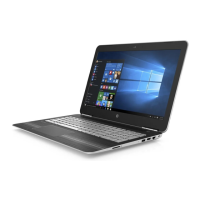
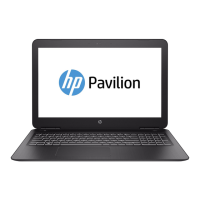
This document outlines the disassembly instructions for HP Pavilion Power Laptop PC 15, a notebook and tablet PC, intended for end-of-life recyclers and treatment facilities. The primary function of this guide is to facilitate the removal of components and materials requiring selective treatment, as mandated by EU directive 2002/96/EC on Waste Electrical and Electronic Equipment (WEEE).
The device itself is a portable computing solution designed for general use, likely catering to users who require a balance of performance and mobility. As a laptop, its core function is to provide a personal computing environment, enabling tasks such as web browsing, document creation, multimedia consumption, and potentially more demanding applications like gaming or content creation, given its "Power Laptop" designation. The "15" in its name typically indicates a 15-inch screen size, suggesting a larger display for enhanced productivity and entertainment viewing compared to smaller, more compact laptops.
Usage features of the HP Pavilion Power Laptop PC 15 would encompass a standard laptop interface, including a keyboard, a trackpad (or touchpad), and a display. The presence of a "power cord" listed under selective treatment items confirms its reliance on external power for charging and operation, typical of all laptops. The mention of "RAM module" and "SSD module" indicates that the device utilizes modern memory and storage technologies, contributing to faster boot times and application loading. The inclusion of "Wlan module" points to wireless connectivity capabilities, allowing the laptop to connect to Wi-Fi networks for internet access and communication. The "display unit" with a surface greater than 100 sq cm, along with "hinge R and L," describes the fundamental structure of a clamshell laptop, where the screen is attached to the base via hinges. The "camera module" suggests integrated webcam functionality, essential for video conferencing and online communication.
Maintenance features, from the perspective of this disassembly guide, are primarily focused on end-of-life processing rather than user-level upkeep. However, the detailed steps for removing various internal components indirectly reveal aspects of the device's modular design, which can be beneficial for repair and maintenance during its operational life. For instance, the ability to remove the "base cover," "Battery," "HDD and HDD cable," "RAM module," and "SSD module" suggests that these components are designed to be accessible, potentially allowing for upgrades or replacements by qualified technicians. The instructions to "disassemble thermal module" and "remove fan cables and 2 fans" indicate the presence of an active cooling system, a common maintenance point for laptops to prevent overheating. The separation of the "display unit" into its "bezel," "LCD module," and "hinges" implies that screen components can be individually serviced or replaced.
The selective treatment requirements highlight specific materials and components that need careful handling during recycling due to environmental or safety concerns. These include Printed Circuit Boards (PCBs) or Printed Circuit Assemblies (PCAs) with a surface greater than 10 sq cm, which are central to the laptop's electronic functionality. Batteries, including standard alkaline, lithium coin, or button style, and specifically the "Main Battery," are identified for selective treatment due to their chemical content. The "Liquid Crystal Displays (LCD) with a surface greater than 100 sq cm" are noted, particularly those with "background illuminated displays with gas discharge lamps," indicating the presence of mercury-containing components (though mercury in lamps is also listed separately). External electrical cables and cords, such as the "power cord," are also included. While not explicitly detailed as user-serviceable, the modularity implied by the disassembly steps suggests that the device is constructed with a view towards component replacement, which is a form of maintenance that extends the product's lifespan before it reaches end-of-life recycling. The guide's emphasis on systematic disassembly ensures that all hazardous or valuable materials are properly segregated for responsible environmental management.
 General
| Display Type | IPS LCD |
|---|---|
| Display Size | 15.6 inches |
| Graphics Options | NVIDIA GeForce GTX 1050, NVIDIA GeForce GTX 1050 Ti |
| Operating System | Windows 10 |
| Ports | 1 x Headphone/Microphone combo |
| Wireless | 802.11ac Wi-Fi, Bluetooth 4.2 |
| Display Resolution | 1920 x 1080 (Full HD) |
| RAM Options | 16GB DDR4 |




 To Next Page