5
4
3
2 • HP Photosmart C4380 All-in-One series/HP Photosmart C4380 Tout-en-un série
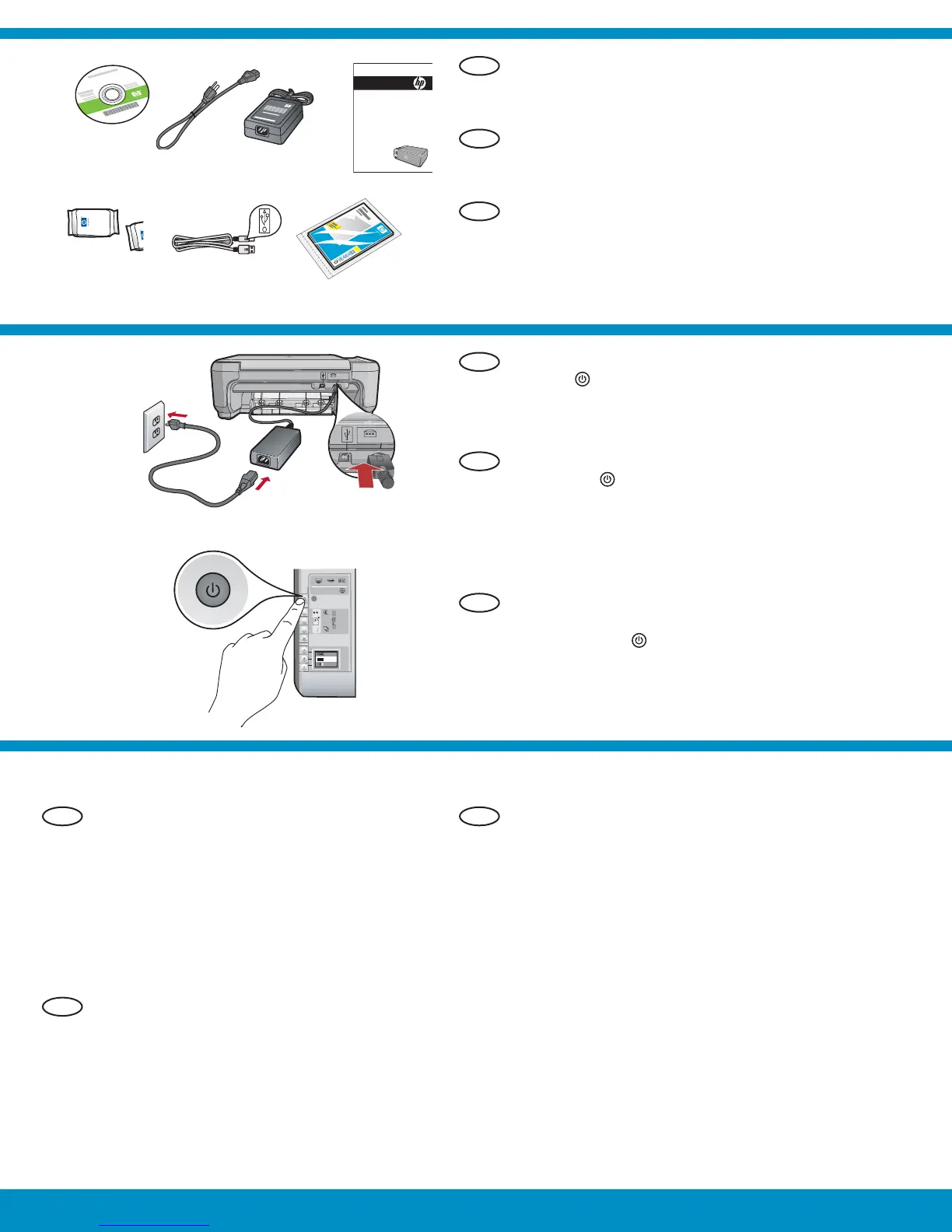
Connectez le cordon d’alimentation et
l’adaptateur.
Appuyez sur
pour mettre l’appareil
HP Tout-en-un sous tension.
REMARQUE : soyez attentif aux messages
et aux animations d’aide à l’écran lors de
la confi guration.
a.
b.
Vérifi ez le contenu du carton. Le contenu du
carton peut varier.
*Peut être inclus
Si une invite vous demande de défi nir la langue
et le pays/la région de votre choix, utilisez les
fl èches pour sélectionner votre langue (25 langues
disponibles), appuyez sur OK et confi rmez.
Sélectionnez votre pays/région, appuyez sur OK
et confi rmez.
Si une invite vous demande d’installer des
cartouches d’impression, passez à l’étape suivante
de ce guide.
•
•
Conecte el cable de alimentación y el adaptador.
Presione
para encender el dispositivo
HP All-in-One.
NOTA: Preste atención a los mensajes y
animaciones de gran utilidad que aparecen
en pantalla durante el proceso de instalación.
a.
b.
Compruebe el contenido de la caja. El contenido
de la caja puede ser distinto.
*Puede estar incluido
Si se le solicita que confi gure el idioma
y el país/región, utilice las fl echas para
seleccionar el idioma en la lista de más
de 25 idiomas, presione OK y confírmelo.
Seleccione el país/región, presione OK
y confírmelo.
Si se le solicita que instale los cartuchos
de impresión, vaya al siguiente paso de
esta guía.
•
•
Connect the power cord and adapter.
Press
to turn on the HP All-in-One.
NOTE: Pay attention to the helpful messages and
animations in the display during the setup process.
a.
b.
Verify the box contents. The contents of your box
may differ.
*May be included
If a prompt appears asking you to set the
language and country/region, use the
arrows to select your language from the
list of up to 25 languages, press OK , and
confi rm. Select your country/region, press
OK and confi rm.
If a prompt appears asking you to install
print cartridges, go to the next step in this
guide.
•
•
*
a
b
*
FR
FR
FR
ES
EN
ES
EN
ES
EN
HP Photosmart C4380 series
Basics Guide



 To Next Page
 Loading...