2 HP All-in-One overview
Use the HP All-in-One to quickly and easily accomplish tasks such as making a copy,
scanning documents, or printing photos from a memory card. You can access many
HP All-in-One functions directly from the control panel, without turning on your computer.
This section contains the following topics:
•
The HP All-in-One at a glance
•
Control panel buttons
•
Use the HP Photosmart Software
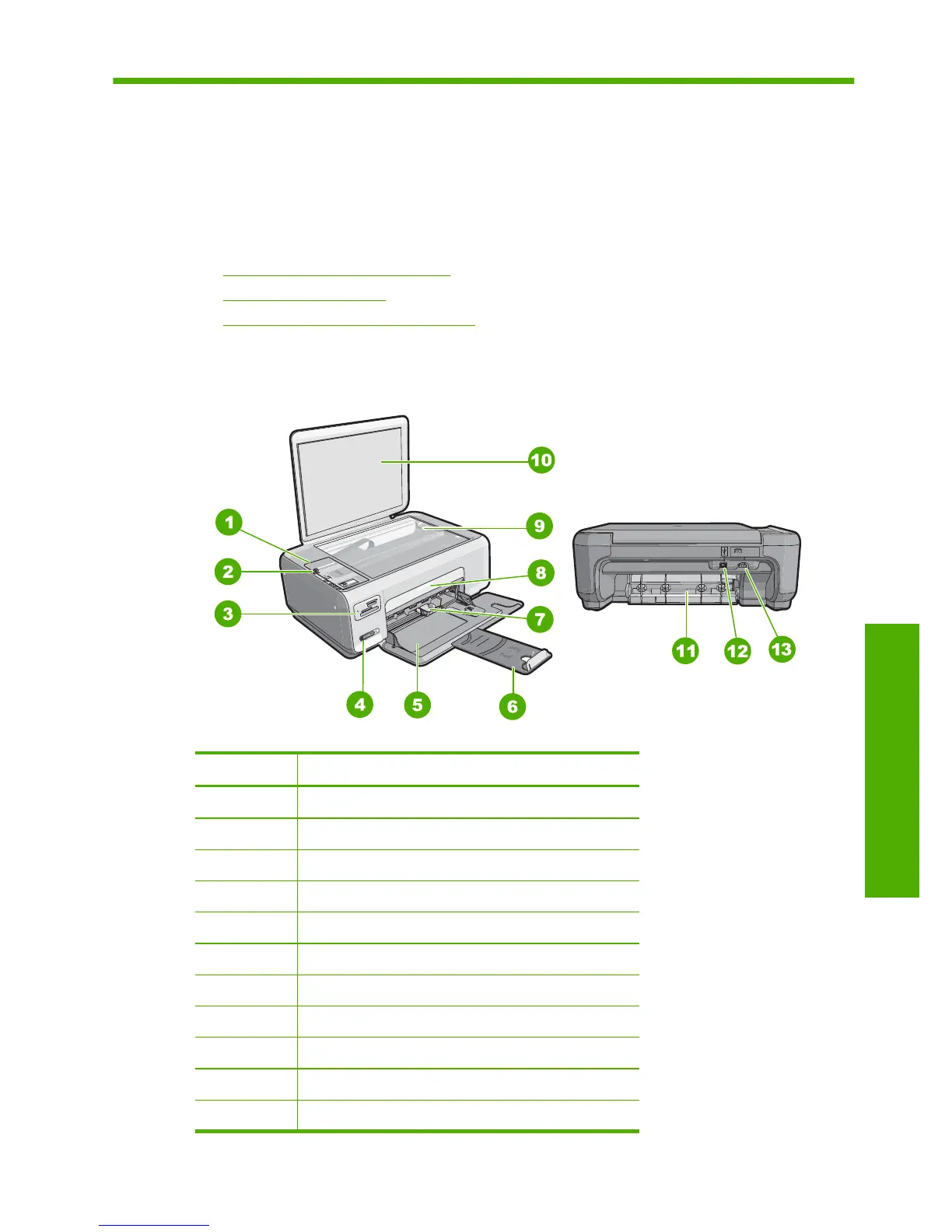
The HP All-in-One at a glance
Label Description
1 Control panel
2 On button
3 Memory card slots
4 Wireless network indicator light and button
5 Input tray
6 Tray extender
7 Paper-width guide
8 Print cartridge door
9 Glass
10 Lid backing
11 Rear door
HP All-in-One overview 7
HP All-in-One overview



 To Next Page
 Loading...