1 Telephone wall jack
2 Use the phone cord supplied in the box with the HP All-in-One
2. After you have connected the phone cord to the port labeled 1-LINE, run the fax
test again to make sure it passes and the HP All-in-One is ready for faxing.
3. Try to send or receive a test fax.
Cause: The "Using Correct Type of Phone Cord with Fax" test failed.
Solution:
What to do
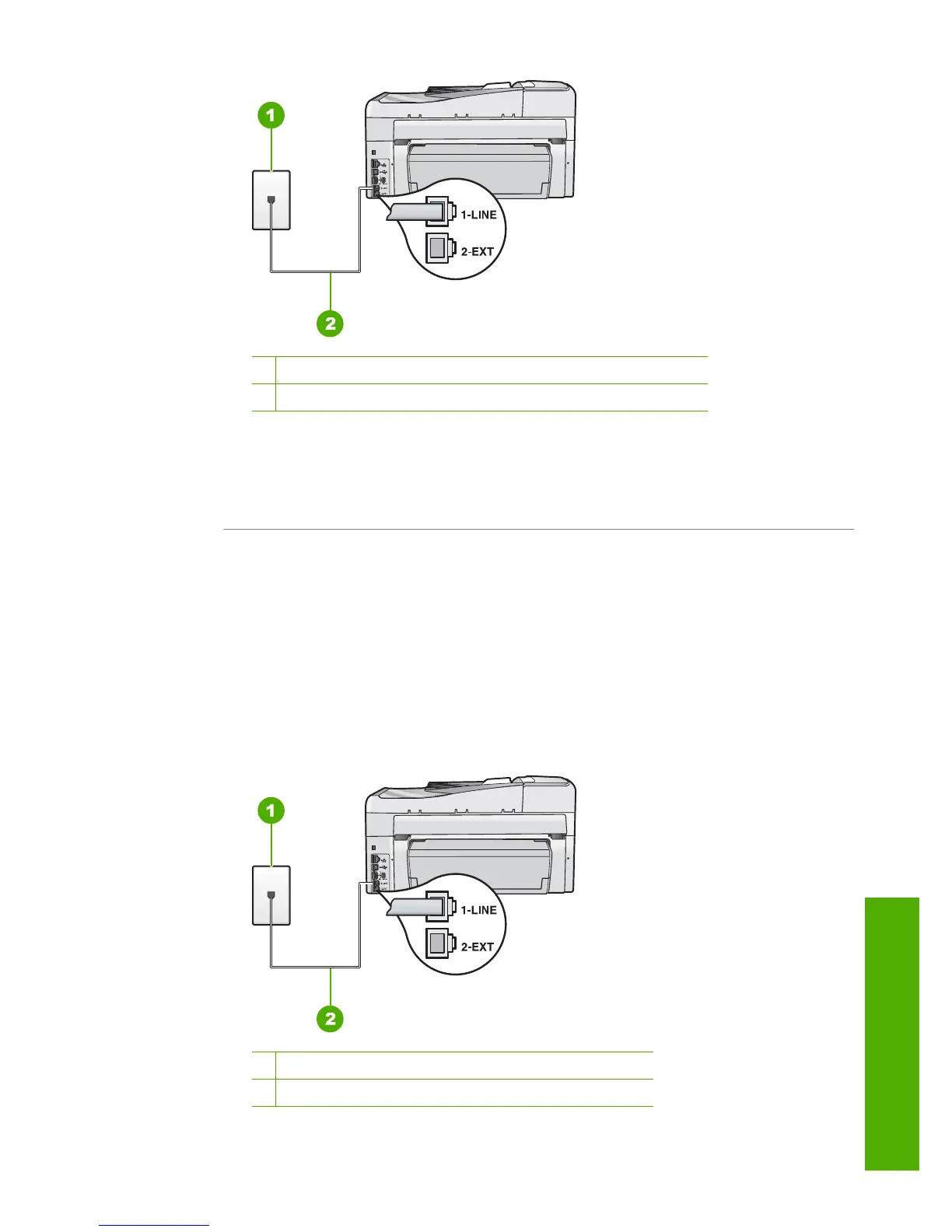
• Make sure you used the phone cord supplied in the box with the HP All-in-One to
connect to the telephone wall jack. One end of the phone cord should be
connected to the port labeled 1-LINE on the back of the HP All-in-One and the
other end to your telephone wall jack, as shown below.
1 Telephone wall jack
2 Phone cord supplied in the box with the HP All-in-One
Fax troubleshooting 253
Troubleshooting



 To Next Page
 Loading...