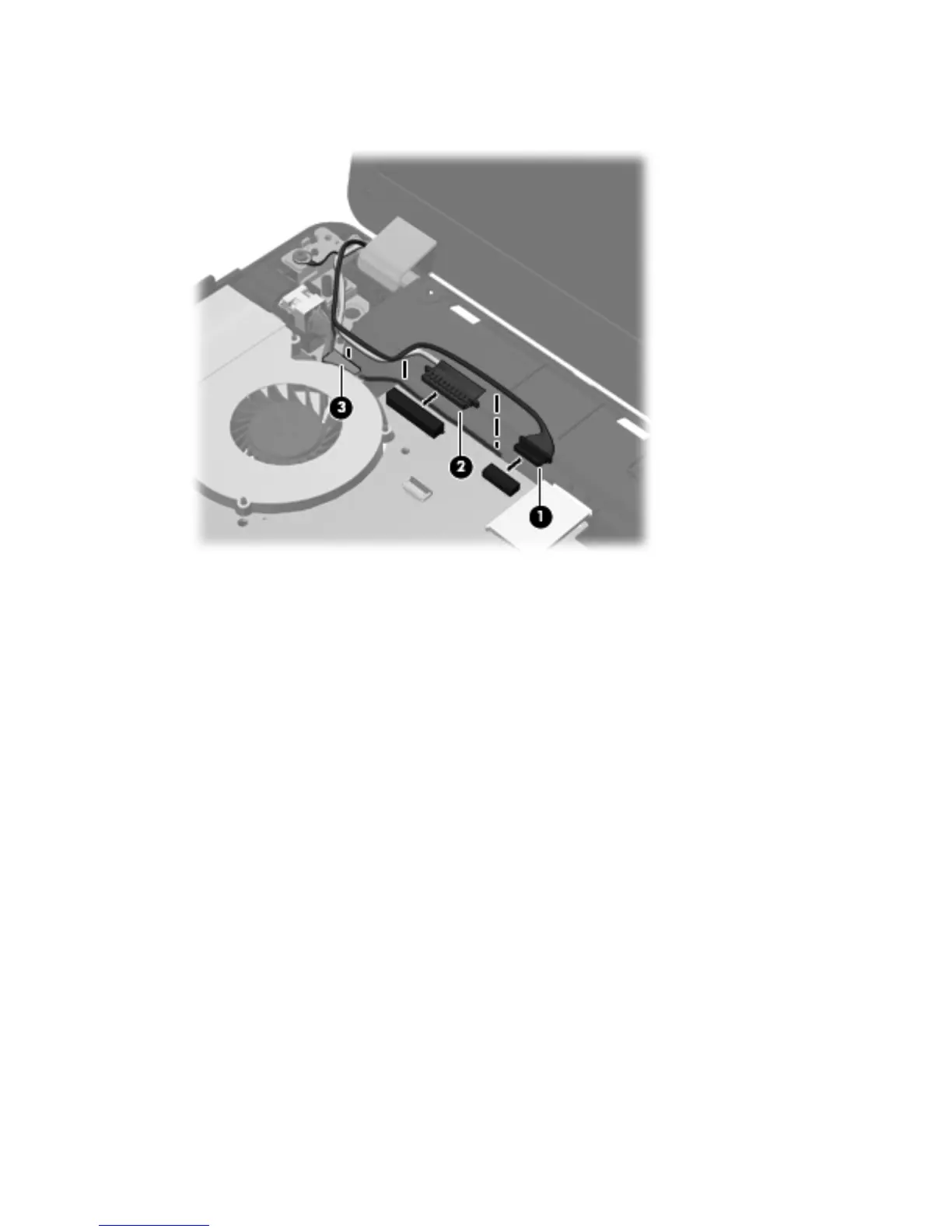
3. If necessary, disconnect the webcam cable (1) and display cable (2) from the system board, and
then remove the cables from the clip (3).
4. Remove the four Phillips PM2.5×7.0 screws (1) from the hinges, noting the grounding wire
connected to the screw in the left hinge (2).
90 Chapter 4 Removal and replacement procedures





 To Next Page