EasyManua.ls Logo

HP ProCurve Gigabit-LX - User Manual

HP ProCurve Gigabit-LX
8 pages
Print Icon
To Next Page IconTo Next Page
Loading...
1
HP ProCurve Gigabit Transceivers
Installation Guide
Introduction
The HP ProCurve Gigabit Transceivers are used to provide 1000 Mbps
connections to other compatible network devices for the HP ProCurve
Switch 2424M Gigabit Stacking Module and other HP networking devices
that are designed to accept these transceivers. The transceivers are installed
into the transceiver slots of the HP networking device or device module.
This document describes how to install, verify, and troubleshoot the
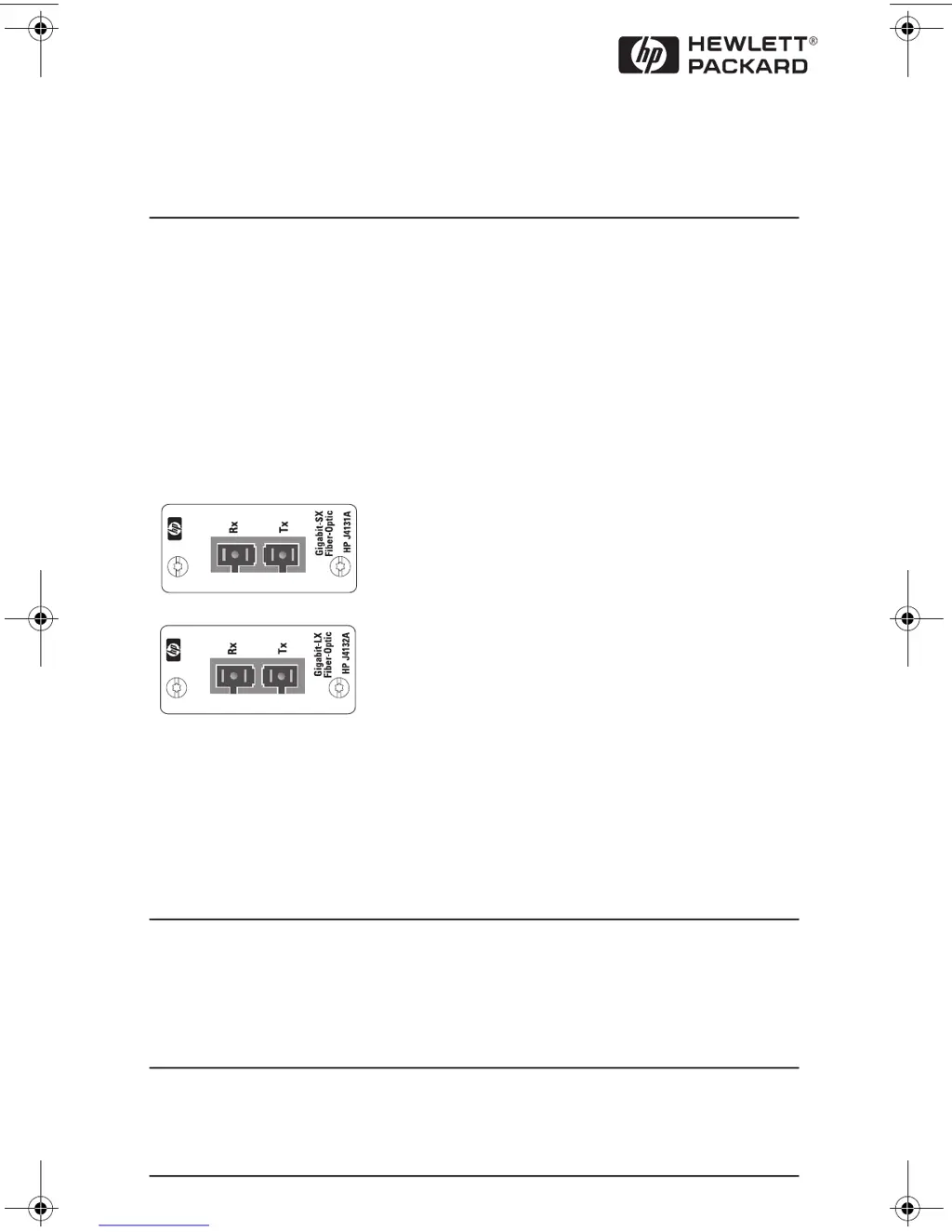
following two HP ProCurve Gigabit Transceivers:
The Gigabit-SX transceiver complies with the 1000Base-SX standard and is
used with multimode fiber-optic cable. The Gigabit-LX transceiver complies
with the 1000Base-LX standard and is used with either single-mode or
multimode fiber-optic cable. For more information on the cables used with
these transceivers and the supported cable lengths, see page 4.
Note:
The illustrations in this document show the above listed units being used
with the HP J4130A ProCurve Switch 2424M Gigabit Stacking Module. The
procedures described in this document also pertain to using these units in
other Gigabit HP networking devices that are designed to accept them.
HP J4131A ProCurve Gigabit-SX Transceiver
HP J4132A ProCurve Gigabit-LX Transceiver
IP3DJH7KXUVGD\0DUFK30

Questions and Answers

  • M
    Michelle BaileyJul 26, 2025
    What to do if the Link LED is not on for HP Transceiver?
    • K
      Kimberly McgeeJul 26, 2025
      If the Link LED for your HP Transceiver isn't lit despite power and cable connection, try these steps: * Ensure the device at the cable's other end is powered on. * Confirm the cable fibers are correctly connected to the transceiver ports. * Check that the cable length doesn't exceed maximum specified distances. * Verify the connected device matches the transceiver type (Gigabit-SX or Gigabit-LX). * Try resetting or power cycling the networking device where the transceivers are installed. * Resetting the switch initiates a self-test, which includes testing the transceivers.
  • P
    prattscottAug 11, 2025
    Why are the Fault LED and Link LED flashing on my HP Transceiver?
    • S
      Sydney HarmonAug 11, 2025
      If the Fault LED and Link LED for your HP Transceiver port are flashing, power off the device, then reinstall the transceiver into the module or networking device, ensuring the screws are tightened. If the flashing continues after reinstallation, the transceiver may be faulty.

Summary

HP ProCurve Gigabit Transceivers Introduction

HP Gigabit Transceiver Installation Guide

Insert Transceiver into Slot

Procedure for physically installing a transceiver into a networking device slot.

Connect Network Cables to Transceiver Port

Guidelines for connecting fiber-optic cables to Gigabit SX and LX transceivers.

Troubleshooting HP Gigabit Transceiver Issues

HP ProCurve Gigabit Transceiver Specifications

HP Transceiver Customer Support Services

HP ProCurve Gigabit-LX Specifications

General IconGeneral
Form FactorSFP
Wavelength1310 nm
Distance10 km
Maximum Distance Supported10 km
Maximum Distance10 km
ConnectorLC
Connector TypeLC duplex
Data Rate1 Gbps
Data Transfer Rate1 Gbps
Fiber TypeSingle-mode
CompatibilityHP ProCurve switches
TypeTransceiver
Product TypeTransceiver
Connectivity MediaSingle-mode optical fiber
Operating Temperature0 to 70 °C