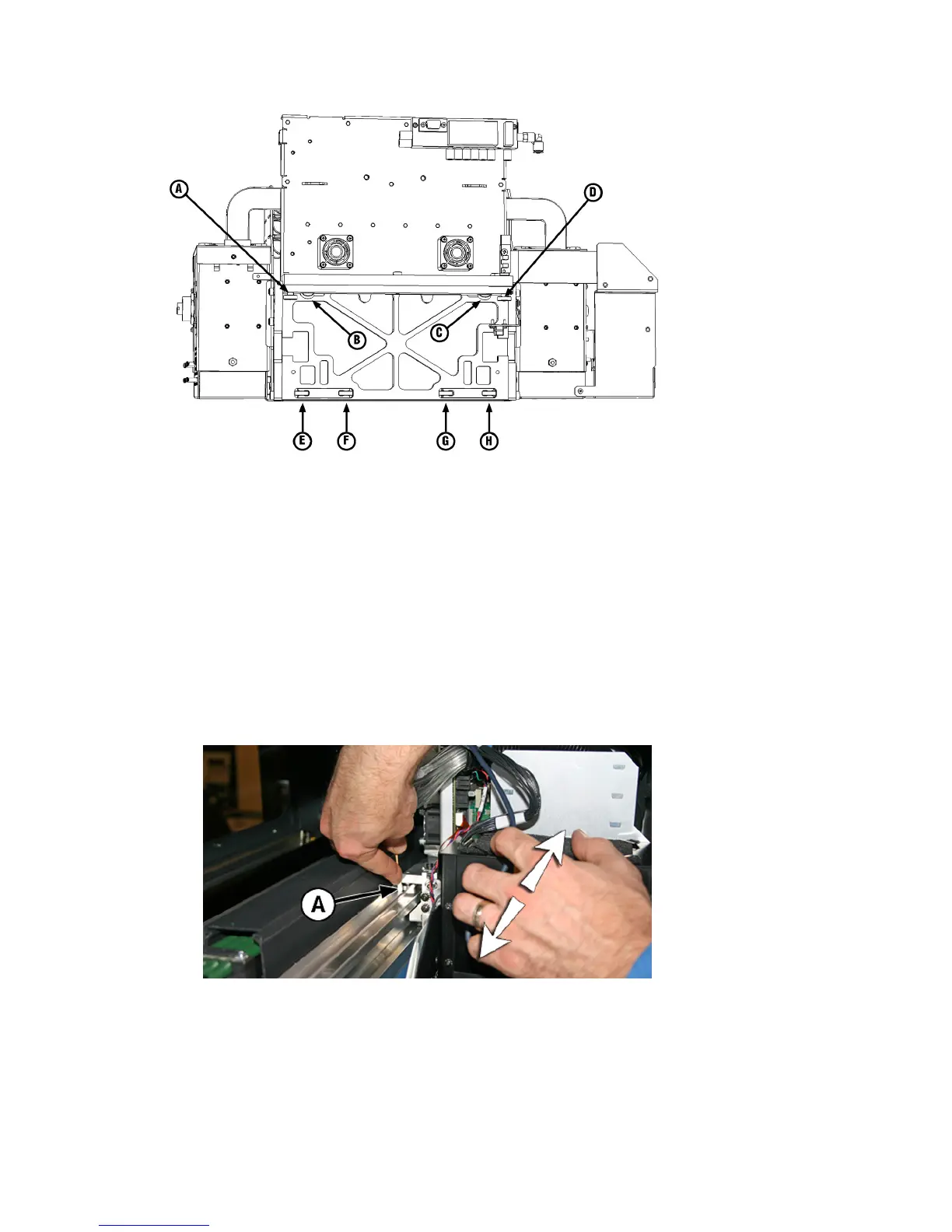
Figure 10-13 Location of carriage wheels
1. Select from the control panel System> Tools> User Cleaning and Maintenance> 7) Clean Carriage
Wheels.
2. Press Proceed to continue.
The rail and the output roller will raise to the maximum height. You can move the carriage to any
position on the rail that is convenient for cleaning.
3. Remove output table and open the output-side door.
Opening the output-side door will disable the carriage servo, allowing the carriage to be moved
manually.
4. Clean the top service-end wheel by placing an Isopropyl alcohol-moistened cotton swab against the
side of the wheel (A in photo below) and moving the carriage back and forth about 10 cm (4 in).
Figure 10-14 Location of carriage wheels
ENWW Clean the carriage wheels 85



 To Next Page