Clean the electronics box filters
CMYKcm — 250 Hours
CMYKW — 250 Hours
Electronics box fan filters keep dust and other debris from entering the air-cooled area of the electronics
box. If the filter becomes clogged, the electronics may overheat, causing performance errors. There are two
air intake fans to clean. One is located near the power switch on the user end of the printer (input side). The
other is located in the middle area under the printer chassis where the power cord attaches to the user end.
1. Select from the control panel System > Tools > User Cleaning and Maintenance > Clean Electronics
Box Fan Filters.
2. Press Proceed to continue.
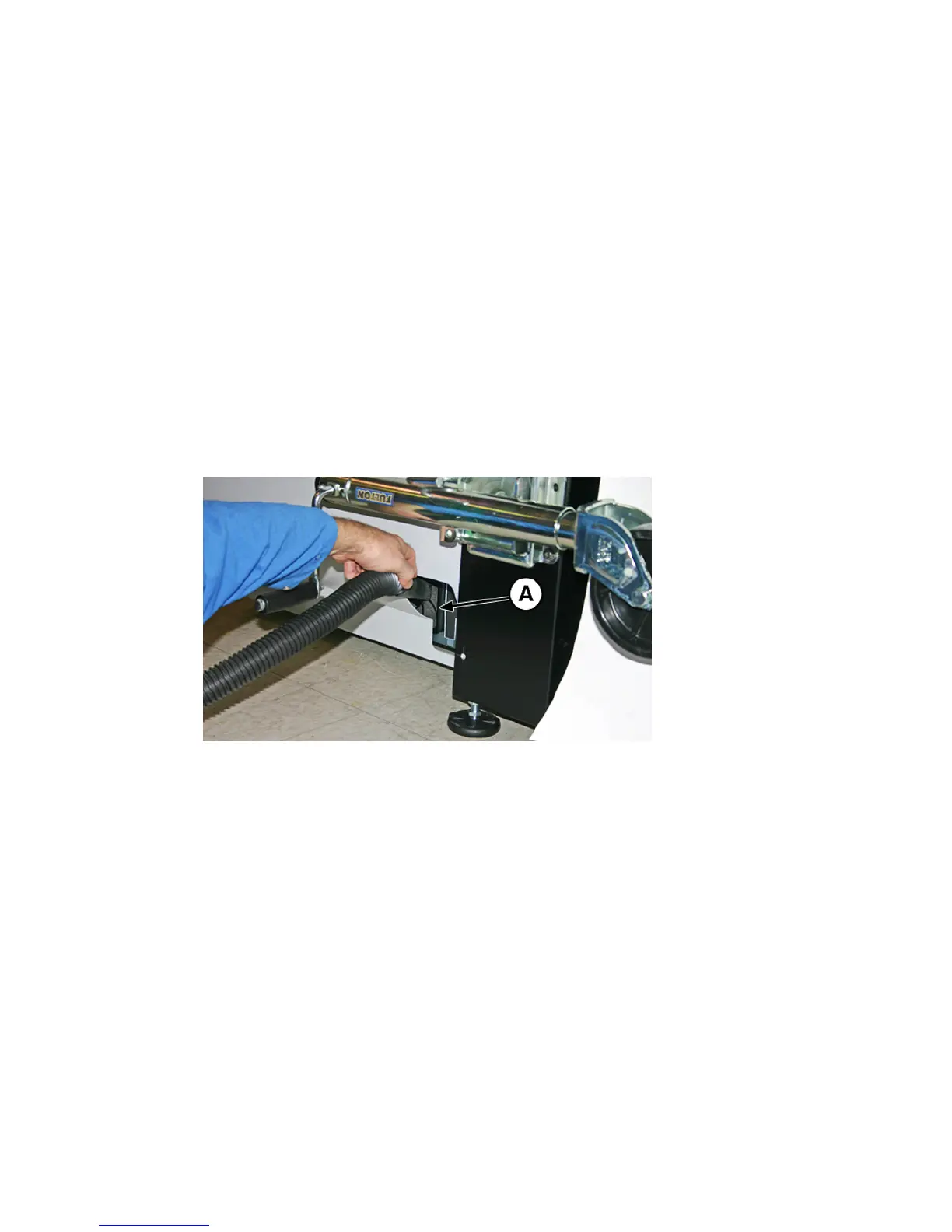
3. Vacuum the dust and debris from the front of the fan on the input side of the electronics box, located
behind the user-end enclosure in the area indicated by (A) in the figure below.
If the chassis wheels are still attached to the printer, rotate the wheel out of the way as shown below.
Figure 10-18 Cleaning the electronics box fan filter on the input side
ENWW Clean the electronics box filters 89



 To Next Page