© Copyright 2023 HP Development Company, L.P. The information contained herein is subject to change without notice.
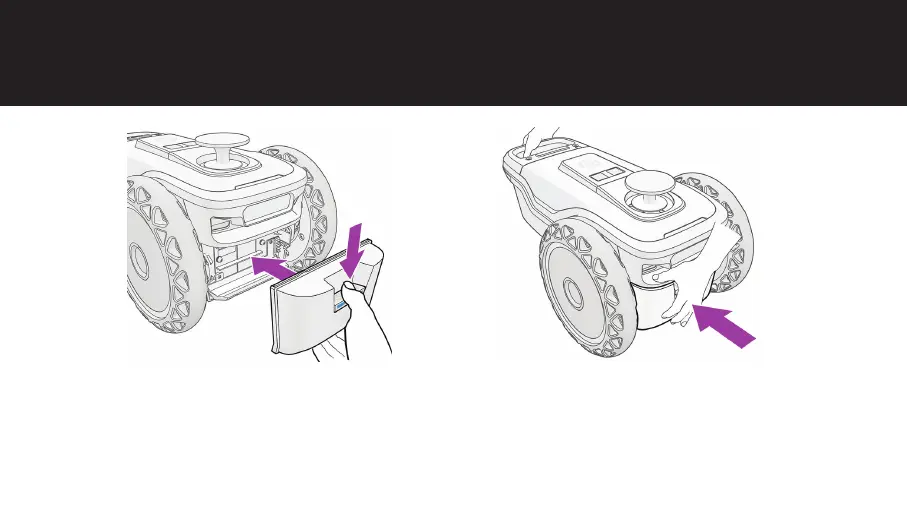
Insert the battery
a. Press the button with your thumb to
open the lock and insert the battery
holder into the HP SitePrint Robot.
Once in place, release the button.
b. Support the HP SitePrint Robot with the
rear handle or wheel and gently push
the battery holder to fully lock it into
place.



 To Next Page