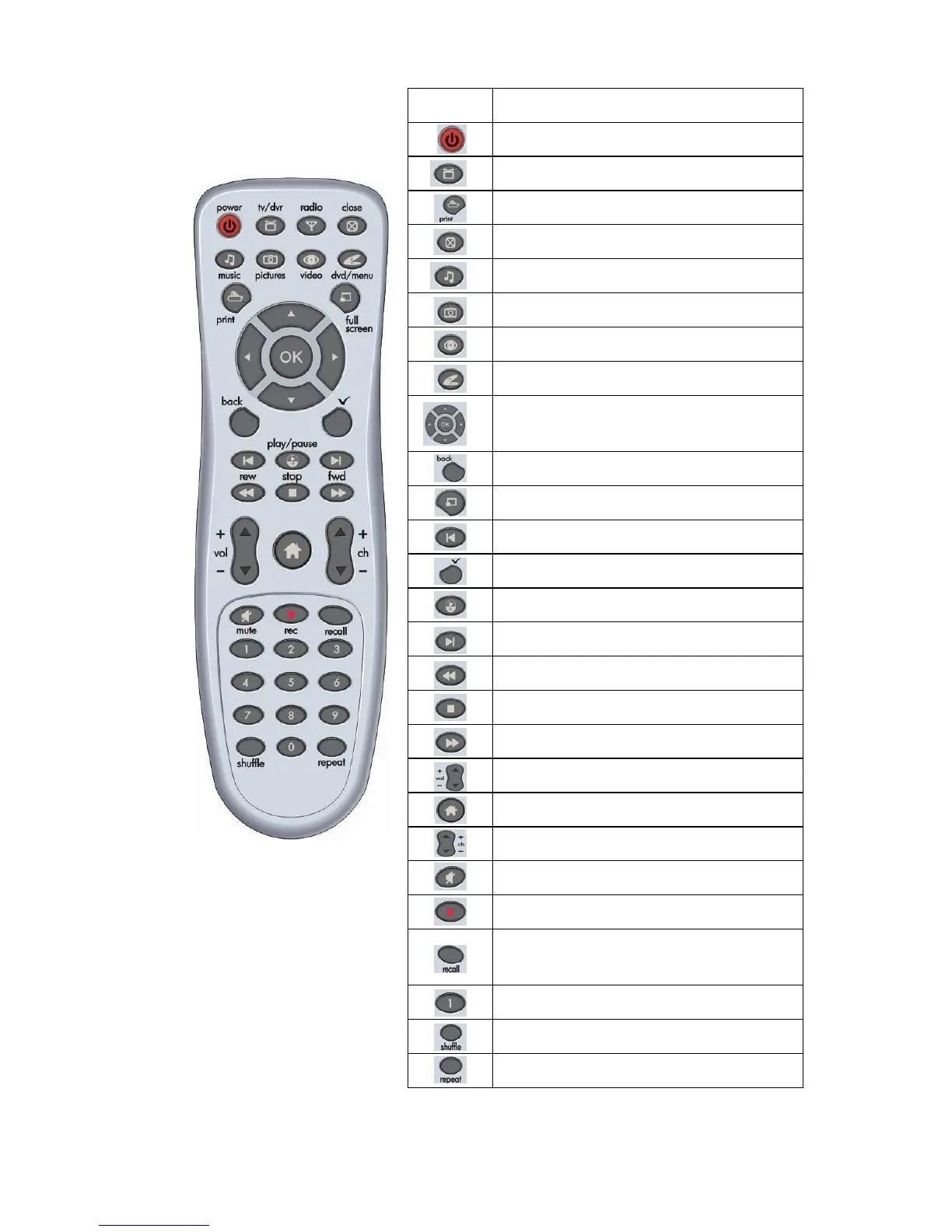
Remote Control Features
Function
Power off -- application or system
Launch television (TV)
Print Picture
Close current application
Launch music
Launch pictures
Launch video clips
Launch DVD / VCD or menus
Arrow keys and OK
Back step
Switch to full screen view
Go to previous Chapter
select / check / uncheck
Play or pause
Go to next chapter
Fast rewind
Stop
Fast forward
Volume up and down
Home Theater / Home Page
Channel up and down
Mute audio
Record
Recall: go back to the latest channel
you watched
Number keys 0-9
Shuffle playing sequence
Repeat video loop
Note: 1. Press Home Theater button to launch InterVideo Home Theater.
2. The print button may not be available for all remote control model.



 To Next Page