Power on
Power off
Low Battery
Charging
Fully Charged
Connected
The power indicator on the right ear cup stays red.
The power indicator on the right ear cup goes off.
The signal indicator on the left ear cup flashes green
and you hear a beep every 1 minute until the
headphones turn off automatically.
The charging indicator on the charging dock keeps
flashing green.
The charging indicator on the charging dock stays
green.
The signal indicator on the charging dock turns red,
and the signal indicator at the lower right corner of
the left ear cup turns green.
LED Indicators Guide
How to Turn on/off the Headphones
- 3 -
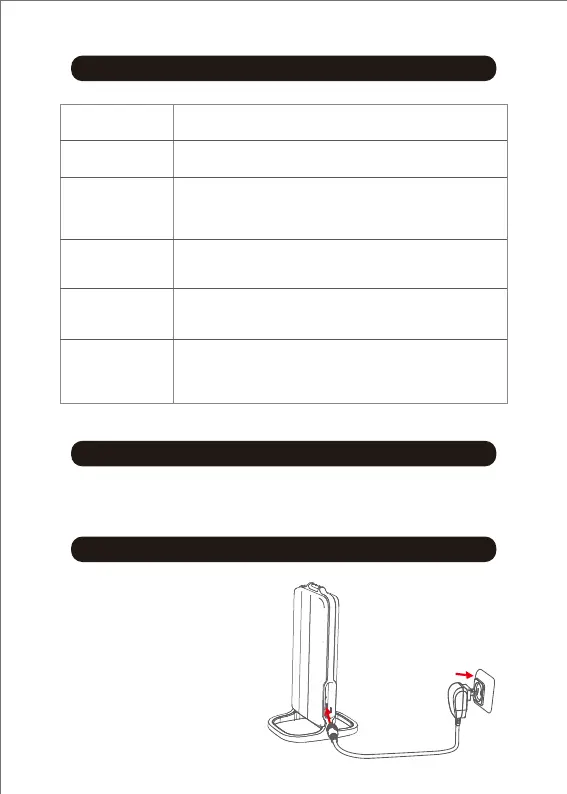
How to Charge the Headphones
1. Connect the charging
dock to a power source.
Power on/off: Press and hold the power button for 2 seconds.


 To Next Page