The Hspro HW1 Digital Wireless TV Headphones are designed to provide a personal audio experience for television viewing, offering wireless connectivity and a comfortable design. The system includes the headphones, a charging dock that also functions as a transmitter, a power adapter, an RCA adapter cable, and a 3.5mm audio cable.
Function Description:
The HW1 headphones allow users to listen to their TV's audio wirelessly, providing freedom of movement and a personalized listening experience. The charging dock serves a dual purpose: it recharges the headphones and acts as a transmitter, sending the TV's audio signal to the headphones. This setup is ideal for individuals who want to watch TV without disturbing others, or for those with hearing impairments who need amplified audio. The headphones are designed for ease of use, with simple power on/off and charging procedures.
Important Technical Specifications:
- Frequency Response: 20Hz-20KHz, ensuring a full range of audio reproduction from deep bass to crisp highs.
- Operating Voltage: The transmitter operates at 5V, and the receiver (headphones) at 2.4V.
- Transmission Range: Up to 100 feet (30 meters) in an open area, providing ample range for most household environments.
- Charging Time: Approximately 6 hours for a full charge.
- Operating Time: Up to 10 hours of continuous playback at medium volume on a full charge.
Usage Features:
- Power On/Off: To turn the headphones on or off, press and hold the power button for 2 seconds.
- Charging: The headphones are charged by placing them on the charging dock. Ensure the charging contacts under the headband align with the charging pins on the dock. The charging indicator on the dock flashes green during charging and stays solid green when fully charged. Before first use, remove the insulating sheet from the headphones and fully charge them. A complete charging cycle takes about 6 hours. If the battery is low, the headphones will emit beeps.
- Connectivity: The transmitter can be connected to a TV using either a 3.5mm audio-out port or RCA outputs.
- 3.5mm Audio-out Port: Connect the power adapter to the transmitter and plug it into a power source. Then, connect one end of the 3.5mm audio cable to the audio input port of the transmitter and the other end to your TV's 3.5mm audio-out port. The signal indicator on the transmitter will turn red, indicating a successful connection.
- RCA Outputs: Connect the power adapter to the transmitter and plug it into a power source. Plug the provided RCA adapter cable into the RCA outputs on your TV and the 3.5mm audio cable into the audio jack of the adapter cable. The signal indicator on the transmitter will turn red.
- Automatic Power Off: If the headphones do not receive a signal from the transmitter within 5 minutes, they will automatically power off to conserve battery.
- Volume Control: The headphones feature volume +/- buttons for adjusting the listening level directly on the headset.
- Multi-Headphone Pairing: It is possible to pair two or more HW1 headphones with a single transmitter. After a primary pair is successfully connected, press and hold the power button of the second pair until its power indicator stays red and the signal indicator flashes green. Then, unplug and replug the power adapter from the yellow charging port on the transmitter. The second pair of headphones will beep, and its signal indicator will turn solid green, indicating successful pairing.
- Troubleshooting (No Sound/Low Volume):
- Ensure the charging dock is powered, and headphones are turned on.
- Avoid plugging into "AV IN" ports; use "audio-out" or "RCA output" ports.
- Verify the audio device (TV) is on and in play mode.
- If using a 3.5mm audio-out port, ensure the TV is not muted.
- Test with a phone to isolate the issue.
- For low volume, turn up the TV's volume to the maximum level.
- Simultaneous TV and Headphone Sound: To have sound from both the headphones and the TV simultaneously, connect the transmitter to the TV using the RCA outputs.
Maintenance Features:
- Cleaning: Clean the product only with a slightly damp, lint-free cloth. Avoid using aggressive cleaning agents to prevent damage.
Warranty:
All Hspro TV headphones come with a one-year warranty. For any questions or suggestions regarding the product or packaging, customers can contact support via email at support@servicehspro.com.
Important Safety Instructions:
- Avoid using headphones at high volumes for extended periods to prevent hearing damage.
- If you have a pacemaker or other electrical medical devices, consult your physician before using.
- Keep small parts away from children to prevent choking hazards.
- Do not dismantle the product yourself; repairs should only be done by authorized dealers or service centers.
- Avoid exposing the product to heat, humidity, or liquids.
- Keep all products, cords, and cables away from operating machinery.
- If the product overheats, is dropped, or damaged, discontinue use and contact support.
- Do not use in areas with explosive hazards.
- Do not submerge the headphones in water.
- Do not wear headphones while showering, bathing, swimming, or participating in water sports.
- This product contains magnetic material; consult your physician if you have an implantable medical device.
- Avoid leaving the product in hot or cold places, such as a closed car in the summer or winter.
- Dispose of the product according to local standards and regulations.
- Always drive safely and follow local laws when operating a motor vehicle. Using headphones while driving is illegal in some jurisdictions. Check local laws. Use with caution while using headphones when you are engaging in any activity that requires your full attention. While engaging in any such activity, remove the headphones from your ear or turn off your headphones to keep you from being distracted, so as to avoid accident or injury. Do not take notes or read documents while driving.

 Need help?
 General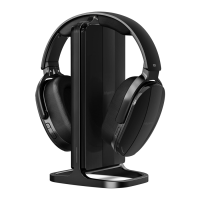

 To Next Page