4
English
Turning your HTC BoomBass on or o
• To turn on, do one of the following:
• Press the multifunction button until you hear a tone.
• Connect your phone to HTC BoomBass using NFC
(Near Field Communication). The NFC antenna
location may vary between phones.
• To turn o, press the multifunction button until you hear
a tone.
Pairing HTC BoomBass to your phone
You can pair HTC BoomBass to your HTC phone using NFC
or
Bluetooth
®.
NFC 1. Go to Settings and turn on NFC on your
phone. If you see the Read/Write P2P
option, you’ll need to select that too.
2. Make sure you’ve unlocked the lock
screen.
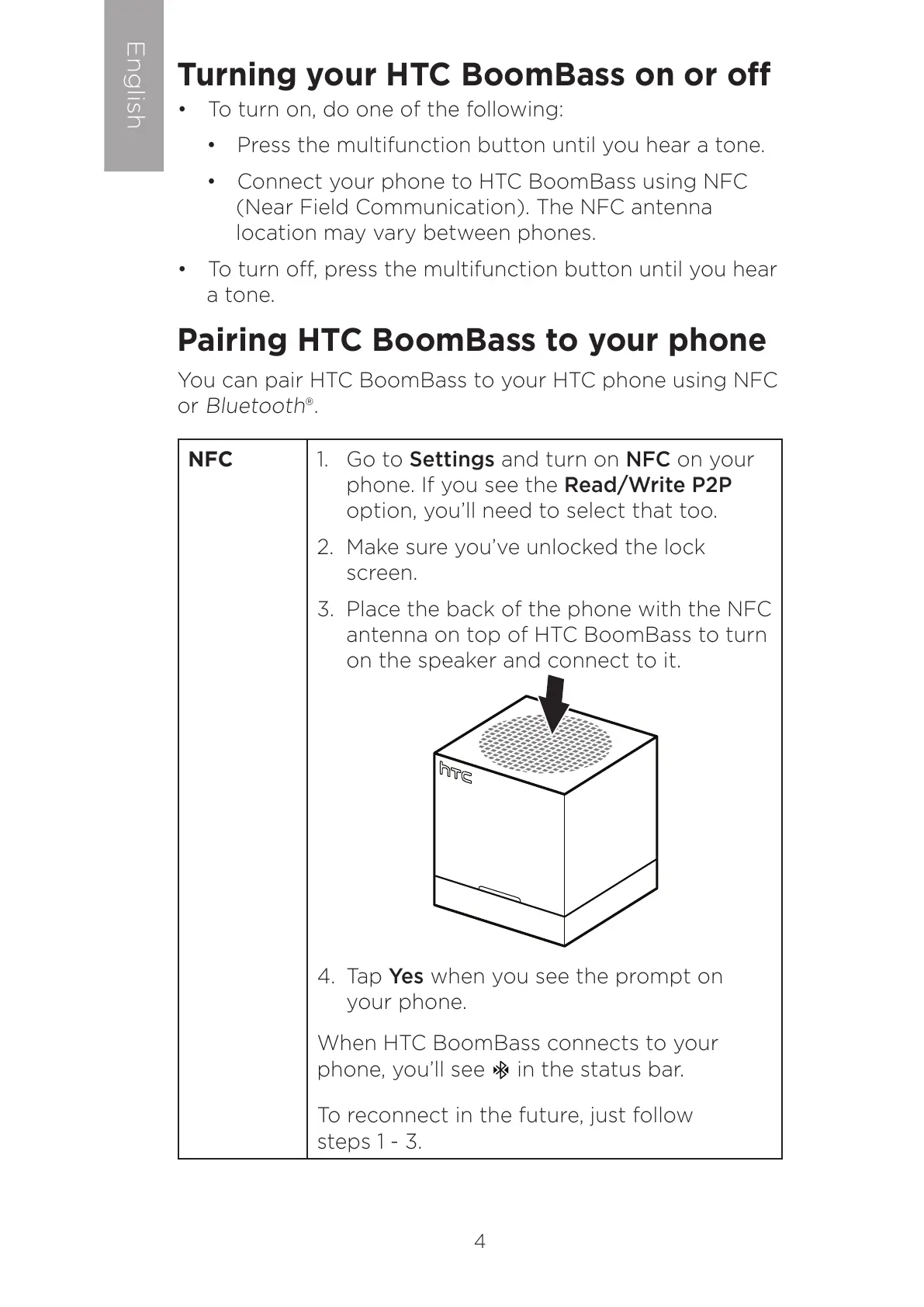
3. Place the back of the phone with the NFC
antenna on top of HTC BoomBass to turn
on the speaker and connect to it.
4. Tap Yes when you see the prompt on
your phone.
When HTC BoomBass connects to your
phone, you’ll see in the status bar.
To reconnect in the future, just follow
steps 1 - 3.



 To Next Page