Messages
Sending a text message (SMS)
1. Open the Messages app.
2. Tap
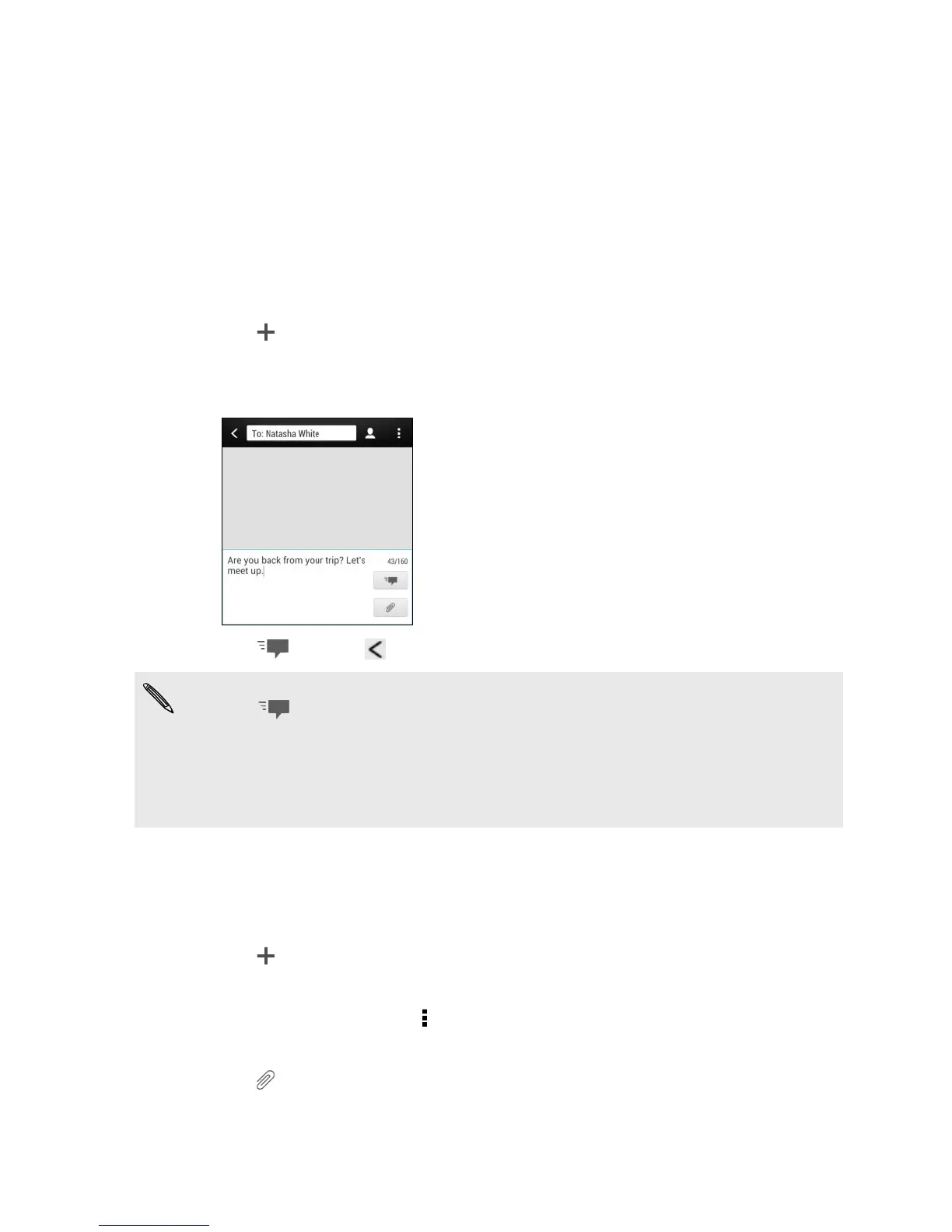
.
3. Enter a contact name or mobile number in the To field.
4. Tap the box that says Add text, and then enter your message.
5. Tap , or press to save the message as a draft.
§ There is a limit on the number of characters for a single text message (displayed
above ). If you exceed the limit, your text message will be delivered as one but
will be billed as more than one message.
§ Your text message automatically becomes a multimedia message if you enter an
email address as the recipient, add a message subject, attach an item, or compose
a very long message.
Sending a multimedia message (MMS)
1. Open the Messages app.
2. Tap
.
3. Enter a contact name, mobile number, or email address in the To field.
4. To add a subject line, tap > Add subject.
5. Tap the box that says Add text, and then enter your message.
6. Tap , and then choose an attachment type.
7. Select or browse for the item to attach.
63 Messages


 To Next Page