Quick start guide 15
7. Connect to the Internet
Your phone puts the whole Internet in your pocket. You
can get online using a data connection or Wi-Fi.
Using a data connection
It’s simple. When you turn your phone on for the first
time (with the SIM card inserted), it should connect
automatically to your mobile operator’s data service.
Using Wi-Fi
1. On the Home screen, press MENU, and then tap
Settings > Wireless & networks.
2. Select the Wi-Fi check box to turn Wi-Fi on. The
phone will scan for available wireless networks.
3. Tap Wi-Fi settings. You’ll see the network names and
security settings of any detected Wi-Fi networks.
4. Tap a Wi-Fi network to connect to. If you select an
open network, you’ll be automatically connected. If
you select a secured network, enter the key, and then
tap Connect.
Browsing the Web
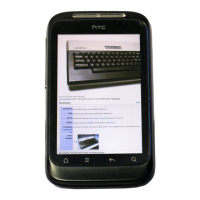
Your phone’s Browser makes web browsing easy and fun.
1. On the Home screen, tap > Internet.
2. On the Browser screen, press MENU, and then tap the
URL field on top of the screen.
3. Enter the web address. As you enter the address,
matching web addresses will appear on the screen.
Tap an address to go directly to that webpage, or
continue entering the web address of your choice, and
then tap the Enter key .










 To Next Page