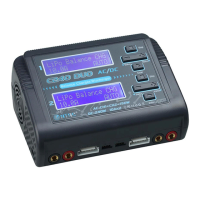
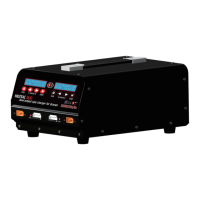
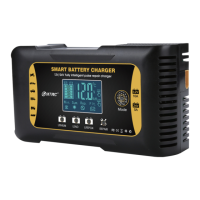
Up: R: *SER S: *SER (Indicating: R: *SER refers to the number of battery sections
automatically detected by the charger. S: *SER is the number of battery sections you
set. If the values are not equal, please do not start. Charge it so as not to damage
the battery)
Downstream: CANCEL (STOP) and CONFIRM (ENTER) switch back and forth
Press Start / Enter to start charging, press Satt. Type / Stop to cancel charge and
return to the setup screen
This is the lithium battery balancing charge function,
2.) Discharge
In the main menu for charging and discharging the lithium battery series, press DEC.
<, the screen displays the following interface:
LiPo Discharge
*.*A *.*V(*S)
Press Start / Enter, select \discharge function,
The operation method is the same as that of charging, and the discharge current
and the discharge end voltage can be set. The voltage is increased or decreased by a
multiple of 3, and the 7.4V lithium battery is set to 6.0V (2S).
***Note: The discharge connector and the balance charging connector must be
connected at the same time to charge and discharge the lithium battery.
Anweisungen
1: Schlüsselfunktion
Batt. Typ / Stopp-Taste: Batterietyp und Stopptaste, Sie können diese Taste
verwenden, um nach dem Erhalt von Strom im Hauptmenü zu wechseln, und Sie
können diese Taste drücken, um während des Ladevorgangs jederzeit anzuhalten.
Dec. / Inc. <Status> -Taste: Verringern und vergrößern Sie die Schaltfläche. Dez.
wird verringert und Inc. wird erhöht, wenn verschiedene Werte eingestellt werden.
Drücken Sie diese beiden Tasten, um während des Ladevorgangs nach
verschiedenen Batterieinformationen zu suchen.
Start / Enter-Taste: Start und OK-Tasten;
Drei: lithium-batterie laden und entladen
1,) aufladen


 To Next Page
 Loading...