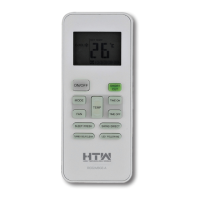
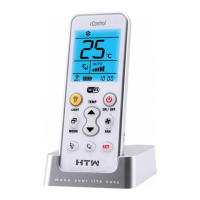
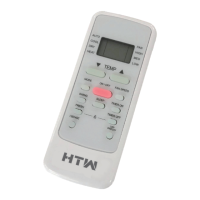
This document is an owner's manual for the HTW-RG66 remote control, used with HTW air conditioning units. It provides comprehensive information on the remote's functions, specifications, and usage in multiple languages: Spanish, English, French, Portuguese, and Italian.
Function Description
The HTW-RG66 remote control is designed to operate HTW air conditioning units, offering a wide range of functions for climate control. Key functions include:
- ON/OFF: Turns the air conditioning unit on or off.
- MODE: Allows selection between various operating modes: AUTO, COOL, DRY, HEAT, and FAN.
- FAN Speed: Selects the fan speed in the following order: AUTO, LOW, MED, HIGH. Holding this button for 2 seconds activates the Silence feature.
- TEMP +/-: Adjusts the set temperature in 1°C increments. The temperature range is typically 17°C to 30°C.
- TIMER ON/OFF: Sets a timer for the unit to automatically turn on or off after a specified period. The timer can be set in 30-minute increments up to 10 hours, and then in 1-hour increments up to 24 hours.
- SLEEP: Activates an energy-saving mode during sleep hours, adjusting temperature settings for comfort and reduced power consumption. This function is not available in FAN or DRY modes.
- LED: Turns the indoor unit's LED display on or off.
- FOLLOW ME: Activates a feature where the remote control measures the ambient temperature at its current location and sends this signal to the air conditioner every 3 minutes. This allows the unit to optimize the temperature around the user for maximum comfort, especially in AUTO, COOL, or HEAT modes.
- TURBO: Enables the unit to reach the preset temperature in the shortest possible time. In COOL mode, it blows cold air with the strongest wind setting. In HEAT mode (for units with electric heat elements), it activates the electric heater for rapid heating.
- SWING (Horizontal): Starts and stops the horizontal louver movement. Each press changes the louver angle by 6 degrees. Holding for more than 2 seconds activates automatic horizontal louver swing.
- SWING (Vertical): Starts and stops the vertical louver movement. Each press changes the louver angle by 6 degrees. Holding for more than 2 seconds activates automatic vertical louver swing.
- SELF CLEAN: Initiates and stops the self-cleaning feature of the indoor unit. This function helps remove moisture and prevent bacteria growth around the heat exchanger and is only available in COOL or DRY modes.
- SHORTCUT: Restores current or resumes previous settings. A quick press reverts to previous settings (mode, temperature, fan speed, sleep). Holding for more than 2 seconds automatically restores current operation settings.
- ECO (Energy Efficient Mode): Available only in COOL mode, this feature automatically adjusts the temperature to 24°C and fan speed to AUTO to save energy. If the set temperature is already above 24°C, the fan speed changes to AUTO, but the temperature remains unchanged. Pressing ECO again or changing mode/temperature below 24°C stops this function.
- 8°C Heating Function (Anti-Gelo/Anti-freeze): When the air conditioner is in heating mode with a set temperature of 17°C, pressing the TEMP- button twice within one second activates an 8°C heating function. The unit will operate at 8°C, and the indoor unit display will show "FP".
- LOCK: Pressing the TURBO and SELF CLEAN buttons simultaneously for one second locks or unlocks the remote control's keyboard.
- Silence Feature: Activated by holding the FAN speed button for 2 seconds. This mode operates the compressor at a low frequency, which may result in insufficient cooling or heating capacity.
Important Technical Specifications
- Model: RG66A1(B)/BGEF, RG66B7(B)/BGEF (two models are mentioned, implying slight variations in button layout or features, but the core functionality is similar).
- Rated Voltage: 3.0V (uses two R03/LR03 AAA dry cell batteries).
- Signal Receiving Range: 8 meters.
- Environment (Operating Temperature): -5°C to 60°C.
Usage Features
- Battery Installation: The remote uses two AAA batteries. To install, slide down the front cover, insert batteries matching the (+) and (-) symbols, and replace the cover.
- Remote Control Holder: An optional holder (not supplied) allows the remote to be mounted on a wall or stand. Before installation, ensure the air conditioner receives signals properly.
- LCD Screen Indicators: The remote's LCD displays various icons indicating the current operating mode, set temperature, fan speed, timer status, battery level, and activated special functions (e.g., ECO, Silence, Follow Me, Lock).
- Temperature Adjustment: The operating temperature range for the units is 17-30°C, adjustable in 1°C increments.
- Timer Setting: For TIMER ON/OFF functions, time increases in 30-minute increments up to 10 hours, then in 1-hour increments up to 24 hours. Setting the timer to "0.0h" deactivates the function.
- Simultaneous Timer Setting: Instructions are provided for setting both TIMER ON and TIMER OFF to schedule automatic power-on and power-off sequences.
Maintenance Features
- Battery Replacement: The manual advises replacing batteries when the remote emits no "beep" sound upon signal transmission or when the display brightness fades.
- Battery Care:
- Do not mix old and new batteries or different types of batteries.
- Remove batteries if the remote will not be used for more than 2 months.
- Dispose of batteries according to local laws, not as unsorted municipal waste.
- Remote Control Handling:
- Use the remote within 8 meters of the unit.
- Avoid obstructions (curtains, materials) and direct sunlight, which can interfere with the infrared signal.
- Prevent liquids from falling on the remote.
- Do not expose the remote to direct sunlight or heat.
- Handle with care; do not drop or place heavy objects on it.
- Self Clean Function: This feature helps maintain the indoor unit by automatically cleaning the heat exchanger to prevent bacteria growth. It is recommended for regular use.
The manual emphasizes that button designs may vary slightly from the illustrations, and if the indoor unit does not support a particular function, pressing the corresponding button on the remote will have no effect. In case of discrepancies between the remote illustration and the manual's function description, the manual's description prevails.

 Need help?
 General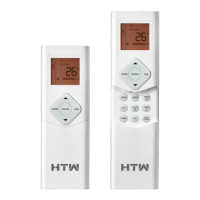

 To Next Page