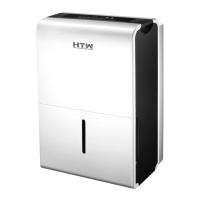
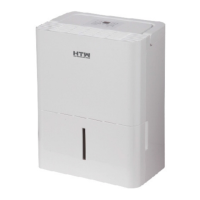
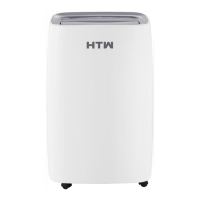
This document serves as the Owner's and Installation Manual for the HTW X11 Dehumidifier, specifically covering models HTWDB30X11R29 and HTWDB50X11R29. It provides essential information for safe operation, maintenance, and troubleshooting.
Function Description
The HTW X11 Dehumidifier is designed to reduce humidity levels in indoor residential spaces. It operates by drawing in moist air, passing it over evaporator coils where moisture condenses, and then expelling drier air. The collected water can be managed in three ways:
- Bucket Collection: Water is collected in an internal bucket, which needs to be emptied manually when full. The unit will automatically shut off when the bucket is full or removed.
- Continuous Draining: The unit can be set up for continuous drainage by attaching a water hose to the back drain outlet, allowing water to flow directly to a floor drain or suitable facility.
- Pump Draining (on some models): For units equipped with a pump, a pump drain hose can be connected to automatically empty collected water to a higher drain point.
The dehumidifier features various operational modes and settings to optimize its performance:
- Dehumidification Modes: Includes a "Comfort" mode for automatic humidity control and a "Continuous" mode for constant dehumidification.
- Fan Speed Control: "Turbo" pad allows selection between High and Normal fan speeds for varying moisture removal needs.
- Humidity Setting: Users can set the desired humidity level within a range of 35%RH to 85%RH in 5% increments using the Up/Down pads.
- Timer Function: An Auto Start/Stop feature can be programmed using the Timer pad and Up/Down pads, allowing the unit to turn on or off after a set period (0.0 to 24 hours).
- Auto Defrost: The unit automatically cycles off the compressor and runs the fan when frost builds up on the evaporator coils, ensuring efficient operation in cooler conditions.
- Auto-Restart: In case of a power cut, the unit will automatically restart with its previous settings once power is restored.
Important Technical Specifications
While specific numerical values for capacity (e.g., liters per day) are not provided in the excerpt, the model numbers (HTWDB30X11R29 and HTWDB50X11R29) suggest different capacities, likely 30 and 50 units respectively, possibly in liters or pints per day.
- Operating Environment: The unit is designed to operate within a temperature range of 5°C/41°F and 35°C/95°F. Operation below 5°C/41°F may lead to frost buildup and reduced performance.
- Refrigerant: The manual explicitly mentions R290/R32 refrigerant, indicating the use of flammable refrigerants. This necessitates specific safety precautions regarding storage, handling, servicing, and disposal, as detailed in the "WARNINGS (for using R290/R32 refrigerant only)" section.
- Electrical Information: The unit requires proper grounding, and its electrical data (including fuse specifications like T 3.15A/250V or 350V) is located on the rear nameplate. It should be connected to a properly grounded wall receptacle, and extension cords or adapter plugs are generally discouraged unless they are approved "Dehumidifier" extension cords.
- Safety Features: Includes a "Bucket Full" light, automatic shut-off when the bucket is full or removed, and error codes (AS, ES, P2, EC, Eb, E3) displayed on the LED window to indicate specific issues like sensor errors, full/missing bucket, or refrigerant leakage.
Usage Features
- Control Panel: The unit features a control panel with pads for PUMP (on some models), COMFORT, FILTER, CONT. (Continuous), TURBO, TIMER, and POWER, along with Up/Down pads for setting humidity and timer. Indicator lights show the status of various functions like Clean Filter, Auto Defrost, Continuous Operation, High Fan, Bucket Full, and Timer On/Off.
- Positioning: For optimal performance, the dehumidifier should be placed on a smooth, level floor with at least 20cm of air space on all sides (40cm on the air outlet) for good air circulation. It should not be used outdoors or in small, unventilated spaces, and all doors and windows in the room should be closed.
- Casters: Equipped with casters for easy movement, but care should be taken not to force them over carpet or move the unit with a full water bucket to prevent tipping and spills.
- Initial Use: When first using, operate the unit continuously for 24 hours.
- Restart Delay: After being switched off, the unit has a 3-minute delay before it can restart to protect the compressor.
Maintenance Features
Regular maintenance is crucial for the dehumidifier's efficiency and longevity:
- Cleaning the Grille and Case: Use water and a mild detergent; avoid bleach or abrasives. Do not splash water directly onto the main unit. Use a vacuum attachment or brush for air intake and outlet grilles.
- Cleaning the Bucket: Clean the water bucket every few weeks with clean water and a mild detergent to prevent mold, mildew, and bacteria. The bucket is not dishwasher safe and must be securely seated for the unit to operate.
- Cleaning the Air Filter: The air filter should be removed and cleaned with clean water every two weeks under normal operating conditions. The "Filter" light illuminates after 250 hours of operation as a reminder. Operating without a filter can lead to clogging and reduced performance.
- Pump Filter Cleaning (on some models): If the pump operation light blinks at 1Hz, it indicates a pump operational failure, which may require cleaning the pump's filter.
- Long-Term Storage: Before storing the unit for extended periods, turn it off, wait one day before emptying the bucket, clean the main unit, water bucket, and air filter. Wrap the power cord with the provided buckle, cover the unit with a plastic bag, and store it upright in a dry, well-ventilated place.
Safety Precautions
The manual emphasizes numerous safety precautions, especially concerning the use of flammable refrigerants (R290/R32). Key warnings include:
- Never exceed the power outlet rating or use an unspecified power cord.
- Do not modify the power cord or share outlets with other appliances.
- Disconnect power immediately if strange sounds, smells, or smoke occur.
- Avoid using the machine near flammable gases or combustibles.
- Do not operate or stop the unit by switching power on/off directly.
- Never insert or pull out the plug with wet hands.
- Do not attempt to disassemble or repair the unit yourself.
- Do not drink the drained water.
- Avoid placing the unit near heat sources or where water may splash onto it.
- Ensure proper grounding to minimize shock and fire hazards.
- Do not cover intake or exhaust openings.
- Keep fingers or foreign objects out of grills and openings, especially for children.
- Ensure filters are securely inserted and cleaned regularly.
- Be cautious when removing the filter to avoid damaging the fins.
- Supervise children and persons with reduced capabilities when using the appliance.
- If the supply cord is damaged, it must be replaced by the manufacturer or qualified persons.
- The appliance must be installed in accordance with national wiring regulations.
- For units with electric heaters, maintain at least 1 meter space from combustible materials.
- In a thunderstorm, unplug the unit to prevent lightning damage.
- Do not run the power cord under carpeting or furniture.
- Do not open the unit during operation.
- Do not place heavy objects or water containers on top of the unit.
- All servicing and disposal related to flammable refrigerants must be performed by certified technicians following strict safety protocols and national regulations. This includes checks for refrigerant leaks, ensuring proper ventilation, and having fire extinguishing equipment available.

 Need help?
 General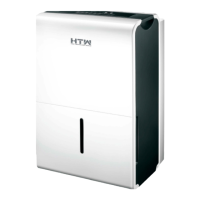

 To Next Page