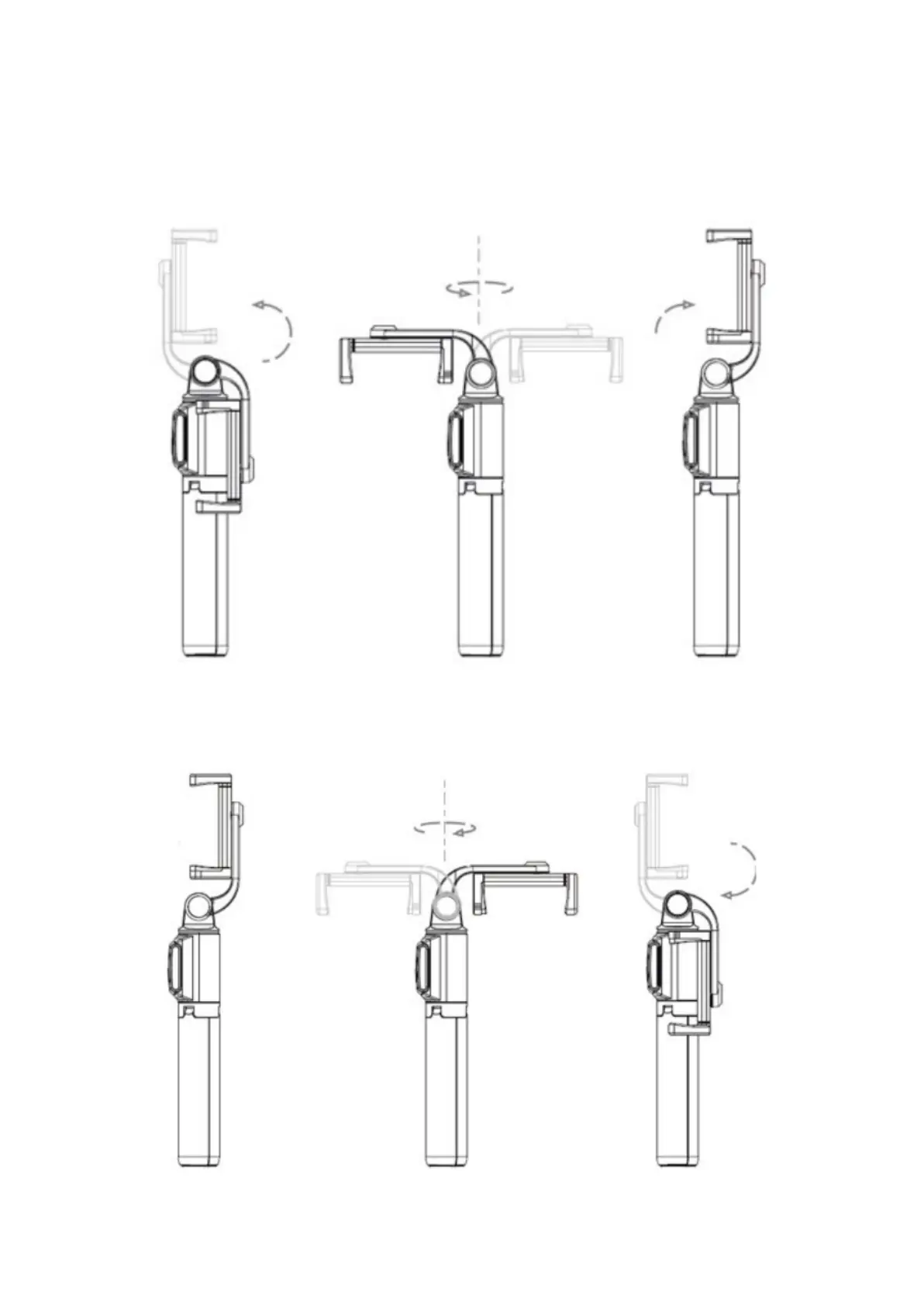
Using the selfie stick’s clamp
Open and rotate the clamp for 180 degrees, and attach your phone to the
selfie stick as shown in the picture below.
After the usage, rotate the clamp 180° and return the clamp to its original
position, as shown in the picture below.


 To Next Page