Connectez vous au réseau Wi-Fi
Lancez un navigateur web et allez sur http://airboxauto.home
Abre un navegador de internet y ve a http://airboxauto.home
Connect to Airbox Wi-Fi network
Conéctate al Wi-Fi del Airbox
Launch web browser and go to http://airboxauto.home
Branchez et allumez l’appareil
Plug and switch on the device
Enchufa y enciende el dispositivo
FR
FR
Input password
Select Airbox network
AIRBOX-XXX
12345678
Vérier l’état de la connexion
Check connection status
Comprueba el estado de la conexión
(optionnel) Introduire le code PIN de la carte SIM,
si demandé
(optional) Input SIM card PIN code, if requested
(opcional) Inserta el código PIN cuando se solicite
http://airboxauto.home
login : admin / password : admin
Input password
Select Airbox network
AIRBOX-XXX
12345678
Airbox Auto
Insérez la carte SIM
Inserta la tarjeta SIM
Insert SIM card
ES
FR
EN
ES
ES
EN
EN
ES
FR
EN
ES
FR
EN
ES
FR
EN
Plaats de simkaart
ND
Sluit het apparaat aan en zet het aan
ND
Open een browser en surf naar http://airboxauto.home
ND
Maak verbinding met het wi-netwerk van de Airbox
ND
(optioneel) voer indien gevraagd de pincode van de
simkaart insimkaart in
ND
2
1
3
4
5 6
Controleer staat van verbinding
ND
Quick Start Guide
Input password
Select Airbox network
AIRBOX-XXX
12345678

 Need help?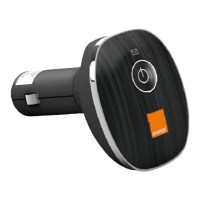

 To Next Page
 General








