Getting started
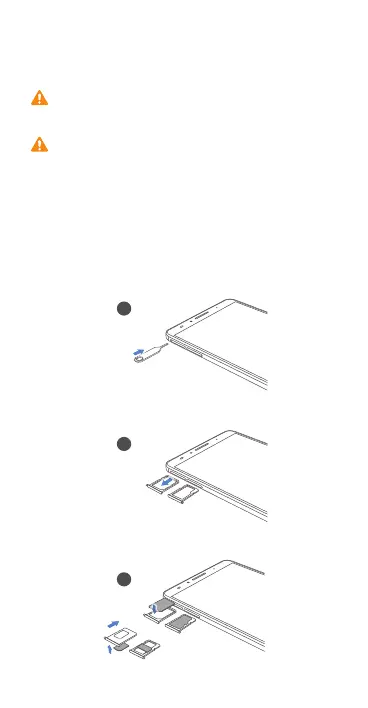
Install your 4G or GSM SIM card in the correct card
slot; otherwise your phone may not detect the card.
Your phone's built-in battery is not user-removable.
To replace the battery, contact an authorized
Huawei service center. Do not attempt to remove it
yourself.
Follow the instructions in the following figures to install
your SIM card, microSD card. Before you insert or remove
the SIM card, power off your phone.
1
2
3
4GTU9/3
4GTU9/3
UX
UX
SOIXU9/3
SOIXU9*


 To Next Page