English (United Kingdom)
Introduction
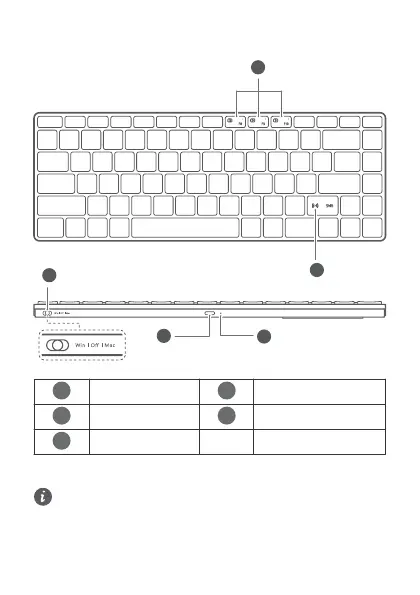
Flash-Switch keys
Power switch
Huawei Share
USB-C port
Power indicator
Powering on
Turn the power switch to Win or Mac to power on the keyboard.
If the keyboard is connected to a Windows, EMUI, or Android device, it is
recommended that you turn the power switch to Win. If the keyboard is
connected to an iOS or macOS device, it is recommended that you turn the
power switch to Mac. Otherwise, there may be compatibility issues with
some keys.
5


 To Next Page