Need help?
Do you have a question about the Huawei DUB-LX3 and is the answer not in the manual?
Guidelines for safe device operation, including hearing protection and environmental factors.
Recommendations for pacemaker users regarding device proximity and safe usage.
RF specifications for device use near the body and accessory requirements for compliance.
Details on SAR limits and reported values for the device to meet US exposure requirements.
Compliance statement regarding potential radio interference and user corrective measures.
Information on trademarks owned by Huawei and third parties, and licensing details.
Reference to the online privacy policy for understanding personal information protection.
This document serves as a Quick Start Guide for the DUB-LX3 device, providing essential information for its initial setup, operation, and safety. It is designed to help users get acquainted with their new device quickly and efficiently.
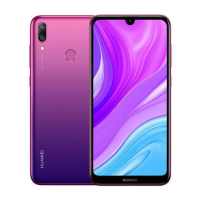
The DUB-LX3 is a mobile communication device that supports dual card dual standby single pass functionality, meaning it can accommodate two SIM cards but can only actively use one for calls or data services at any given time. This design helps optimize power consumption and extend standby time. The device features a standard set of components for a modern smartphone, including a headset jack, rear camera with flash, fingerprint scanner for security, primary and secondary microphones, a Micro-USB port for charging and data transfer, a front camera for selfies and video calls, a power button, volume buttons, a light sensor, a Selfie Toning Flash, and an earpiece for calls.
To begin using the DUB-LX3, users must first power it on by pressing and holding the power button until the screen illuminates. To power off, the power button is pressed and held, followed by touching the designated power-off option on the screen. Similarly, restarting the device involves pressing and holding the power button and then selecting the restart option. In cases where the device becomes unresponsive, a forced restart can be performed by holding the power button for 10 or more seconds.
Setting up the SIM and microSD cards is a crucial step. The device supports both single and dual SIM configurations, and users are guided through the process with illustrative figures. It is emphasized that the SIM card should not be inserted or removed while the device is powered on to prevent damage. The card tray must be correctly aligned and level during insertion, and the included eject pin should be used carefully to avoid scratching the device or causing injury. The guide also warns against using cut or modified SIM/microSD cards, as these can damage the card tray. For dual-SIM devices, the guide clarifies the "dual card dual standby single pass" feature: if SIM card 1 is in use for a call, SIM card 2 cannot receive or make calls, and callers to SIM 2 will hear an unavailable message. Similarly, if SIM 1 is using data services, SIM 2's data services will be disabled. To mitigate these conflicts, users can enable call forwarding between SIMs through the device's settings (Settings > Wireless & networks > Dual SIM settings > Enable call forwarding between SIMs). It's important to note that dual SIM functionality is primarily available on 2G (GSM) networks and may not work in all countries.
The device offers various informational resources accessible through its settings. Users can find legal information, safety information, authentication info, and certification logos by navigating through Settings > System > About phone. For general function details and usage tips, the "Tips" application is recommended. Additional support and information are available on the Huawei consumer website, including device information, FAQs, and regional support contact details.
The guide provides critical safety information to ensure the device's proper operation and longevity. Users are advised to avoid listening at high volume levels for extended periods to prevent hearing damage. Only approved or compatible power adapters, chargers, and batteries should be used to prevent damage, shorten lifespan, or cause hazards like fire or explosion. The device has an ideal operating temperature range of 0 °C to 35 °C and storage temperature range of -20 °C to +45 °C.
For users with pacemakers, a minimum distance of 15 cm should be maintained between the device and the pacemaker to prevent interference. The device should be held on the side opposite the pacemaker and not carried in a front pocket. It's crucial to keep the device and battery away from excessive heat and direct sunlight, and not to place them on or in heating devices.
Adherence to local laws and regulations is stressed, especially regarding device use while driving to reduce accident risks. During air travel, the device should only be used according to provided instructions, as wireless device use in aircraft can disrupt networks, pose hazards, or be illegal. To protect internal components, the device should not be used in dusty, smoky, damp, dirty environments, or near magnetic fields. When charging, the power adapter should be plugged into an easily accessible socket near the device. The charger should be unplugged when not in use.
The device should not be stored or transported where flammables or explosives are present (e.g., gas stations, oil depots, chemical plants) due to the increased risk of explosion or fire. Finally, proper disposal of the device, battery, and accessories according to local regulations is emphasized, warning against disposal in normal household waste due to potential fire, explosion, or other hazards from improper battery use. The guide also includes FCC regulatory compliance information, detailing SAR values for body-worn and Wi-Fi hotspot operations, and outlining measures to address potential harmful interference with radio or television reception.
 General
| Display Size | 6.26 inches |
|---|---|
| Display Type | IPS LCD |
| Display Resolution | 720 x 1520 pixels |
| Operating System | Android 9.0 (Pie), EMUI 9.1 |
| RAM | 3 GB |
| Internal Storage | 32 GB |
| Front Camera | 8 MP, f/2.0 |
| Battery | 4000 mAh |
| Network | GSM / HSPA / LTE |
| Model | DUB-LX3 |
| Main Camera | 13 MP, f/1.8, PDAF |
| Weight | 168 g |
| Colors | Black, Blue |

 To Next Page