Need help?
Do you have a question about the Huawei E5785Lh-22c and is the answer not in the manual?
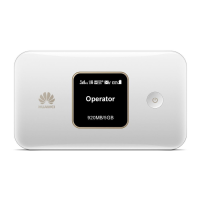
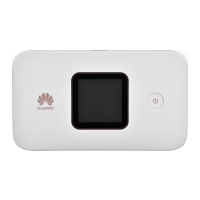
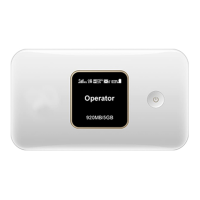
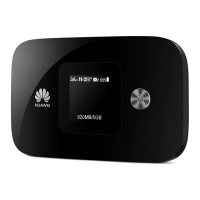
Provides an overview of the E5785Lh-22c as a high-speed packet access mobile hotspot.
Features not supported by the standard version or disabled by default, customizable per requirements.
Lists the main supported features of the E5785Lh-22c, including data services and connectivity.
Details hardware specifications including technical standards, operating frequency, internal memory, and maximum power.
Details software specifications for SMS, network connection, WLAN, firewall, NAT, DHCP, and OS compatibility.
Covers various data services including wireless modem, USB modem, and auto offload features.
Describes the device's capability to send, receive, and manage SMS messages.
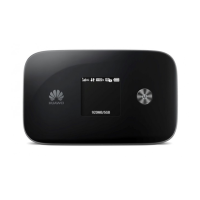
Explains the menu-style LCD UI and its features like 2D barcode scanning for app download and connection.
Presents a diagram illustrating the system architecture of the E5785Lh-22c.
Details the various functional modules of the device, including RF, baseband, drivers, protocol stack, and UI.
Lists the standard and optional items included in the E5785Lh-22c package.
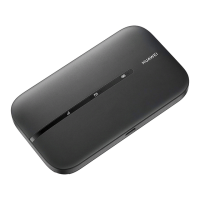
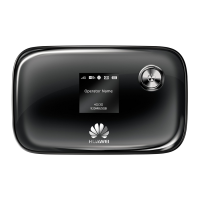
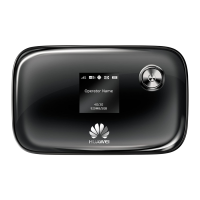
The HUAWEI E5785Lh-22c Mobile WiFi is a high-speed packet access mobile hotspot designed for SOHO (Small Office and Home Office) and business professionals. This multi-mode wireless terminal offers a versatile solution for internet connectivity, allowing users to surf the internet and send/receive messages/emails cordlessly within the service areas of LTE CA, LTE FDD, LTE TDD, DC-HSPA+, HSPA+, HSPA, and UMTS networks. Its design prioritizes speed, reliability, and ease of operation, aiming to enhance the mobile user experience with a range of features and services.
The primary function of the E5785Lh-22c is to act as a mobile WiFi hotspot, enabling multiple devices to connect to the internet simultaneously via Wi-Fi. It supports various cellular network standards, including Long Term Evolution Carrier Aggregation (LTE CA), LTE Frequency Division Duplex (FDD), LTE Time Division Duplex (TDD), Dual Carrier High Speed Packet Access Plus (DC-HSPA+), High Speed Packet Access Plus (HSPA+), High Speed Uplink Packet Access (HSUPA), High Speed Downlink Packet Access (HSDPA), Universal Mobile Telecommunications System (UMTS), Enhanced Data rates for Global Evolution (EDGE), General Packet Radio Service (GPRS), and Global System for Mobile communications (GSM).
The device offers LTE CA packet data service, LTE FDD packet data service, LTE TDD packet data service, DC-HSPA+ packet data service, HSPA+/HSPA/UMTS packet data service, and Short Message Service (SMS). When connected to a computer via its USB interface, the E5785Lh-22c can also function as a USB modem, allowing the computer to access the internet.
A notable feature is the LTE/3G/Wi-Fi Auto Offload, which intelligently switches the device to a Wi-Fi connection when a Wi-Fi hotspot is available (e.g., at an airport, cafe, hotel, or home). This functionality helps users save on LTE/3G network traffic fees. However, enabling this feature will reduce the number of concurrent users allowed to connect to the E5785Lh-22c by one.
The device also supports SMS functionality, allowing users to write, send, and receive messages. Messages can be managed through the device's web page, which includes an inbox, outbox, and draft section.
The E5785Lh-22c is designed for user-friendliness, incorporating several features to simplify its operation. It boasts a menu-style LCD UI that supports multiple languages, providing an intuitive interface for browsing information and configuring settings. Users can navigate the menus using the menu and power buttons to select or confirm options.
One of the innovative usage features is the ability to connect to the internet and download the HiLink App (Mobile WiFi App) by scanning a 2D barcode displayed on the device's LCD. For Android devices with the HiLink App already installed, scanning the 2D barcode offers a quick and easy way to establish an internet connection with the E5785Lh-22c.
The device supports Wi-Fi 2.4 GHz and 5 GHz, offering flexibility in wireless connectivity. It can accommodate a maximum of 16 wireless users on Wi-Fi 2.4 GHz or 10 wireless users on Wi-Fi 5 GHz simultaneously, making it suitable for small groups or multiple personal devices. The WLAN can be set up with an access point (AP) function.
For network connection, the E5785Lh-22c allows for APN management, including creating, deleting, and editing APN settings. It supports SSID broadcasting and hiding, and various encryption methods such as None (Open), WEP, WPA2-PSK, and WPA/WPA2-PSK, with automatic adjustment of ratios. Users can also view STA status, automatically turn off Wi-Fi, and configure WLAN MAC filters and dual SSIDs.
The device supports Press and Play, simplifying the initial setup and connection process. It also includes a built-in DHCP Server, DNS RELAY, and NAT, which are essential for network management and connectivity.
The E5785Lh-22c incorporates features that contribute to its maintenance and longevity. It supports online software upgrades, ensuring that the device's firmware can be kept up-to-date with the latest improvements and security patches. This allows for continuous enhancement of performance and features without requiring manual intervention beyond initiating the update.
Traffic statistics are available, providing users with insights into their data usage. This feature can help in monitoring consumption and managing data plans effectively.
The device includes a WPS (Wi-Fi Protected Setup) function, which simplifies the process of connecting new devices to the Wi-Fi network securely.
For security and management, the E5785Lh-22c offers PIN management, allowing users to activate/deactivate PINs, change PINs, and unblock the device using a PUK. It also features a firewall with options for a Firewall Switch, LAN IP Filter, Virtual Server, DMZ Service, and UPnP Service, enhancing network security.
NAT setup includes CONE NAT, Symmetric NAT, and ALG. DHCP setup allows for enabling/disabling the DHCP server, configuring the address pool, and setting the DHCP lease time.
The device supports automatic installation, simplifying the setup process when connected to a computer. It also offers automatic and manual network selection and registration, providing flexibility in how the device connects to cellular networks. The network status display on the LCD provides information such as signal strength, operator name, and system mode, aiding in troubleshooting and monitoring connectivity. Additionally, there is an option to turn the LTE network on or off.
 General
| Device type | Cellular network router |
|---|---|
| Display type | TFT-LCD |
| Built-in display | Yes |
| Market positioning | Portable |
| Storage temperature (T-T) | -20 - 70 °C |
| Operating temperature (T-T) | 0 - 35 °C |
| Operating relative humidity (H-H) | 5 - 95 % |
| Input voltage | 100 - 240 V |
| Battery capacity | 3000 mAh |
| Battery technology | Lithium |
| Power consumption (typical) | 3.5 W |
| 4G standard | LTE |
| 2G standards | EDGE, GPRS, GSM |
| 3G standards | DC-HSPA+, HSPA, HSPA+, UMTS |
| Data network | EDGE, GPRS, GSM, HSPA, HSPA+, LTE, UMTS |
| 2G bands supported | 850, 900, 1900, 2100 MHz |
| 4G bands supported | 800, 850, 900, 1800, 2100, 2600 MHz |
| Number of SIM cards | 1 |
| USB 2.0 ports quantity | USB 2.0 ports have a data transmission speed of 480 Mbps, and are backwards compatible with USB 1.1 ports. You can connect all kinds of peripheral devices to them. |
| Supported network protocols | DHCP, IPv6/v4 |
 Weight and Dimensions
| Weight | 127 g |
|---|---|
| Dimensions (WxDxH) | 108 x 62 x 17.3 mm |

 To Next Page