2
Appearance
Note:
The figures in this guide are provided for your reference only.
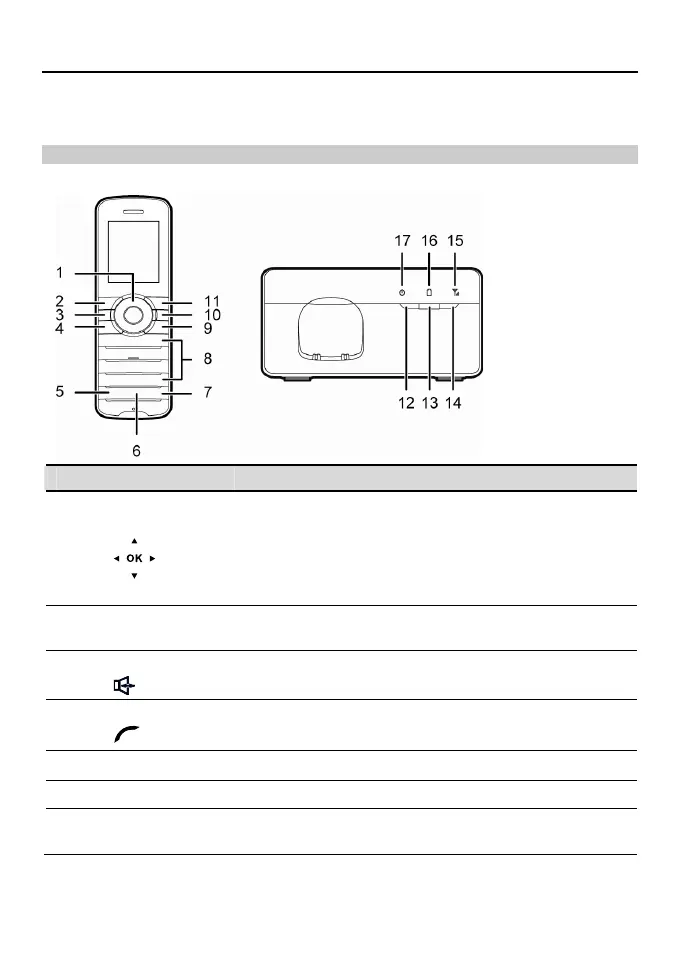
Front View
Handset Base
No. Item Description
1
Navigation keys
Access the main menu by pressing the OK key in standby
mode.
Access a shortcut menu by pressing the corresponding
navigation key in standby mode.
Adjust the volume by pressing the navigation keys during a
call.
2
Left function
key
Select the option displayed in the lower left corner of the
screen.
3
Speaker key
Activate the hands-free mode to answer an incoming call.
4
Call/Send key
Make or answer a call.
View the call log in standby mode.
5 Mute key Press this key to mute or unmute an ongoing call.
6 Shortcut key Press this key to access the operator-customized function.
7
Intercommu-
nication key
Press this key to access the list of registered handsets in
standby mode.



 To Next Page