EasyManua.ls Logo

Huawei G1000 - User Manual

Huawei G1000
24 pages
Print Icon
To Next Page IconTo Next Page
Loading...
Copyright © Huawei Technologies Co., Ltd. 2011.
All rights reserved.
Trademarks and Permissions
, , and are trademarks or
registered trademarks of Huawei Technologies Co., Ltd.
Other trademarks, product, service and company names
mentioned are the property of their respective owners.
NO WARRANTY
THE CONTENTS OF THIS MANUAL ARE PROVIDED “AS IS”.
EXCEPT AS REQUIRED BY APPLICABLE LAWS, NO WARRANTIES
OF ANY KIND, EITHER EXPRESS OR IMPLIED, INCLUDING BUT
NOT LIMITED TO, THE IMPLIED WARRANTIES OF
MERCHANTABILITY AND FITNESS FOR A PARTICULAR PURPOSE,
ARE MADE IN RELATION TO THE ACCURACY, RELIABILITY OR
CONTENTS OF THIS MANUAL.
TO THE MAXIMUM EXTENT PERMITTED BY APPLICABLE LAW,
IN NO CASE SHALL HUAWEI TECHNOLOGIES CO., LTD BE
LIABLE FOR ANY SPECIAL, INCIDENTAL, INDIRECT, OR
CONSEQUENTIAL DAMAGES, OR LOST PROFITS, BUSINESS,
REVENUE, DATA, GOODWILL OR ANTICIPATED SAVINGS.
Question and Answer IconNeed help?

Do you have a question about the Huawei G1000 and is the answer not in the manual?

Overview

This document describes a mobile phone, model number 601060, manufactured by Huawei Technologies Co., Ltd. The manual, copyrighted in 2011, provides information on the phone's features, usage, and safety precautions.

Function Description:

The device is a mobile phone designed for basic communication tasks. It supports making and receiving calls, sending text messages, and includes additional features such as a flashlight and FM radio. The phone incorporates a phone lock and PIN/PUK functionality to protect against unauthorized use. It is designed to operate within a cellular network, allowing for roaming and call forwarding.

Important Technical Specifications:

The phone's SAR limit, as adopted by USA and Canada, is 1.6 watts/kilogram (W/kg) averaged over one gram of tissue. The highest SAR value reported to the FCC and IC for use at the ear is 1.270 W/kg, and when properly worn on the body is 0.451 W/kg. The device operates with a Subscriber Identification Module (SIM) card. It uses a rechargeable battery, with an animated charging icon displayed during charging and becoming static when fully charged. The ambient temperature for charging should be between 0°C and 40°C, and for operation with a battery, it should also be between 0°C and 40°C. The device complies with Part 15 of the FCC Rules, indicating it is a Class B digital device.

Usage Features:

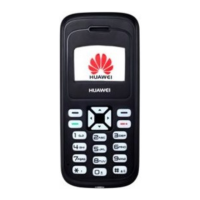
The phone features a simple interface with a screen, earpiece, left and right soft keys, navigation key, call/answer key, * key, # key, number keys, and an end/power key. It also includes a charger jack.

Key Functions:

  • Call/Answer Key: Used to make a call, answer an incoming call, or access dialed calls in standby mode.
  • End/Power Key: Powers the phone on/off (by pressing and holding for about 3s), ends or rejects a call, and returns to standby mode.
  • Navigation Key: Used to access the menu in standby mode, select highlighted items, access contacts in standby mode, and return to the previous menu.
  • Number Keys: Used to enter numbers, letters, and symbols. Keys 2-9 can be used for speed-dialing in standby mode (by pressing and holding for about 3s).
  • *** Key:** Enters * (by pressing) or P (by pressing and holding) in standby mode, and displays the symbol list in any input mode.
  • # Key: Enters #, locks the keypad in standby mode (by pressing and holding for about 3s), and switches between input methods in text editing mode.
  • Volume Adjustment: During a call, the navigation keys (up/down) can be used to increase or decrease the volume.
  • Flashlight (Optional): Can be turned on/off via the menu (Menu > Applications > Flashlight) or by pressing and holding the up navigation key for about 3s (or twice continuously to turn on, once to turn off).
  • FM Radio (Optional): Features a built-in antenna, allowing listening without a headset. Accessed via Menu > Applications > FM radio. Channels can be changed using navigation keys, automatically searched by pressing and holding the navigation key for about 3s, or selected by number. Volume can be adjusted, and options like channel list, search, frequency setting, RDS, and turning off the radio are available.
  • Text Input Modes: Supports Multi-tap, Predictive, and Number input modes (ABC, Abc, abc, Eng, 123). The current mode indicator is displayed in the upper left corner of the screen, and modes can be changed using the # key.
    • Multi-tap Input: Pressing a key multiple times cycles through letters on that key.
    • Predictive Input: Press each key once according to the spelling sequence; candidate words are displayed and can be scrolled through.
    • Number Input: Directly press number keys for digits.
  • Symbol Entry: Press the * key to display the symbol list, then navigate and select.
  • Emergency Calls: The device supports emergency calls in the service area, though connection cannot be guaranteed in all conditions.

Maintenance Features:

  • SIM Card Installation/Removal: Ensure the phone is powered off before installing or removing the SIM card. The golden contact area should face downward, and the beveled edge should align with the slot.
  • Battery Charging: Connect the charger to an AC power socket, then to the phone's charger jack. Wait until the animated charging icon becomes static, then disconnect the charger.
  • Cleaning: Power off the device and disconnect the charger before cleaning. Use a damp, soft antistatic cloth. Avoid chemical detergents, powders, alcohol, or benzene.
  • General Care: Keep the device, battery, and charger dry, and protect them from water, vapor, dust, dampness, dirt, magnetic fields, and extreme temperatures. Avoid placing the device near sharp metal objects or magnetic storage media. Do not disassemble the device, battery, or accessories.
  • Battery Safety: Do not connect battery poles with conductors, disassemble, or solder. If electrolyte leaks, avoid contact with skin and eyes; wash immediately and consult a doctor. If the battery deforms, changes color, or overheats, stop using it immediately. Do not dispose of batteries in fire. Replace batteries according to local regulations.
  • Charger Safety: Unplug the charger when not in use. Use only the specified AC power supply. If the power cable is damaged, stop using it immediately.

Huawei G1000 Specifications

General IconGeneral
BrandHuawei
ModelG1000
CategoryCell Phone
LanguageEnglish

Related product manuals