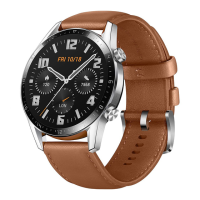
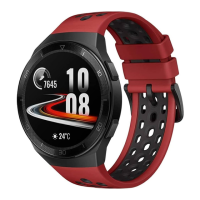
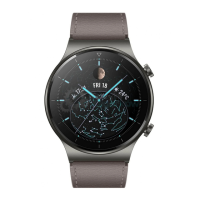
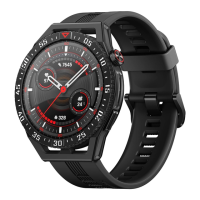
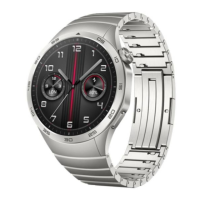
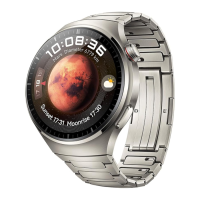
in the secondary menu; the gypsophila style
menu can be zoomed in and out,After the
interface is maximized, you can enter the
application in the middle of the interface.
Split Screen:Swipe right on the dial interface to
enter the split screen function, and you can
quickly enter the corresponding function;
Watch face push:It can push APP-side pointer
dials, digital dials and custom dials.
Dialpad:Connect the mobile phone to make a
call, and the call can be realized on the watch side.
call records:It can synchronize the call records
of the mobile phone.
Phone book:You can add 20 contacts to the
phone book of the watch through the APP
Pedometer:You can view the number of steps in
a day, historical steps, calorie consumption and
walking distance of the day. After 24 o'clock
every night, the data of the day will be stored as
historical data, and the interface data will be
reset to 0.
information:View the messages pushed on the
mobile terminal, support facebook, twitter,
whatsapp, qq, WeChat, etc.
music:Can control to play music in the phone.
Connect 5.0 Bluetooth, only support the mobile
phone to play songs; Connect 3.0 supports the
watch end to play songs
Heart rate:Put the watch close to your wrist, and
the best place to wear it is the wrist bone above
your arm. The real-time heart rate can be
measured. The normal range is 60-90 beats/min.
Blood oxygen:The measurement starts when
you enter it. Please keep your arm at rest during
measurement, and the value will be measured
after about 20 seconds.
blood pressure:The monitoring starts when you
enter it. When monitoring, please lay your hands
flat, and the value will be measured after about
12 seconds.(This app is not a medical device.
Data obtained during the use of this app is for
reference only, and should not be used for
clinical diagnosis,medical research, diagnostic,
or treatment purposes.)
Alarm:Five alarm clocks can be synchronized
through the APP; The watch can also set an
alarm clock.
Voice (Siri):After connecting to Bluetooth 3.0/
5.0, tap Siri on the watch to chat
Sleep monitoring:The sleep duration and sleep
quality from 21:00 on the same day to 9 a.m. the
next day will be recorded to help better adjust
personal work and rest time and improve sleep
quality. Sleep data can be viewed simultaneously
by connecting to the APP.
sports:The watch has a variety of special sports:
such as running, walking, football, badminton,
tennis, basketball, table tennis, cycling, yoga,
rope skipping, mountain climbing; it can be
connected to the APP to view the sports data of t
he watch.
Remote photo:When the phone is not locked, the
watch enters the Bluetooth camera, the phone
enters the camera interface, tap the watch to take
a photo, and the photo will be stored in the
mobile phone album.
Find phone:Connect to Bluetooth, click to find
the phone on the watch, and the phone's ringtone
will ring until canceled.
Find device:Tap the search device on the APP
side, and the watch side will continue to vibrate
until canceled.
weather:After connecting to Bluetooth, the
watch terminal can display the weather
conditions for the next 3 days.
Stopwatch:Turn on this function to perform
single or multiple timing.
breathe:The length of exercise and breathing rate


 To Next Page
 Loading...