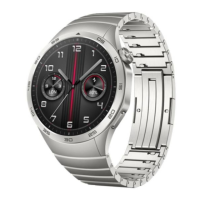
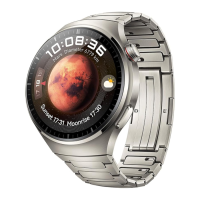
watch and the mobile phone must be connected
to two Bluetooth 3.0 and 5.0 to realize all
functions.
Bluetooth 5.0 connection method: After the
installation is completed, open "RDFit" and turn
on the mobile phone Bluetooth. The RDFit will
be prompted with an activation notification.
Click OK. Click more in the lower right corner,
enter the scanning device, search the Watch4 Pro
Bluetooth address and click Connect. Some
Android phones need to turn on the mobile GPS
to find the watch Bluetooth name.
Bluetooth 3.0 connection method: 1. Turn on
Watch 3.0 Bluetooth and Watch4 Pro audio
Bluetooth will pop up on the mobile phone after
the APP terminal is connected successfully.
(Note: To prevent high power consumption
during connection use, it is recommended to
turn off the media audio switch in Bluetooth)
How to verify that the Bluetooth connection is
successful:
The watch pulls down the status bar on the
standby interface. When the Bluetooth of the
watch 3.0 and 5.0 are blue + green, it means that
the Bluetooth connection is successful. When
the color of the Bluetooth logo is grayed out, it
means that the Bluetooth is not connected.
Simple handling methods for common problems:
Since the Bluetooth protocol of each mobile
phone brand is not uniform, sometimes the
Bluetooth connection between the mobile phone
and the watch may be unstable. You can turn off
the Bluetooth of the mobile phone and reconnect
it again, or restore the watch to the factory
settings.
How to set the notifications:
Mobile phone enters settings-application
management, find "RDFit"-permission
management, open all. Then enter the
notification management-find all the permissions
of "RDFit" to open.
Open "RDFit"-more-application push-open the
background running permission, enter the option
without restrictions. When you return, you will
be prompted to open the auto-start again and
enter the open. Go back, select the APP for
synchronization information notification, such
as QQ WeChat, and select Open.
Note: If the WeChat computer version is online
at the same time, the mobile phone will not
receive notifications. Some mobile phones also
need to add "RDFit" to the power saving
whitelist to avoid being turned off by the mobile
phone when the battery is low.
What should I do if I do not receive the
notification?
First of all, the notification function of the watch
is only to synchronize the notification function
of the mobile phone, such as incoming call and
letter, QQ WeChat letter reminder, if your
mobile phone does not receive the notification,
then the watch will not receive it. You should
find the corresponding APP in the phone
settings-notification function , Turn on the
permission notification.
Main function introduction:
Encoder:The dial button on the standby interface
can switch the dial, and it can slide up and down


 To Next Page
 Loading...