5
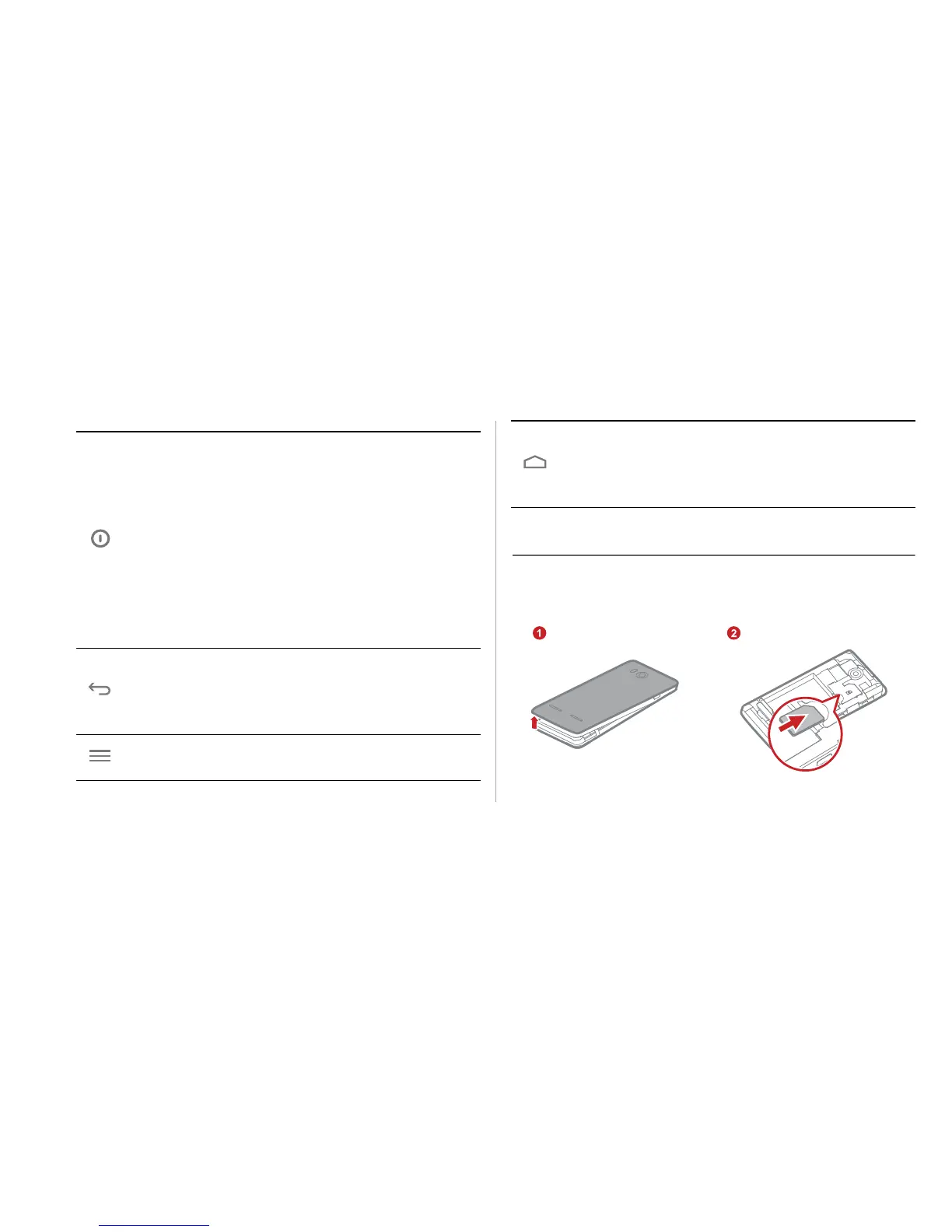
Installing SIM and microSD Cards
Install the SIM card or microSD card as shown in the following
diagrams. Power off your phone before installation.
• Press and hold to power on your phone.
• Press and hold to display the options menu from
where you can power off the phone and perform
some shortcut operations.
• Press to lock the screen when your phone is
active.
• Press and hold for 10 or more seconds to forcibly
restart the phone.
• Touch to return to the previous screen or exit the
currently running application.
• Touch to hide the keyboard.
Touch to open the menu on an active screen.
• Touch to return to the Home screen.
• Touch and hold to view the list of recently used
applications.
Removing battery cover
Installing SIM card


 To Next Page