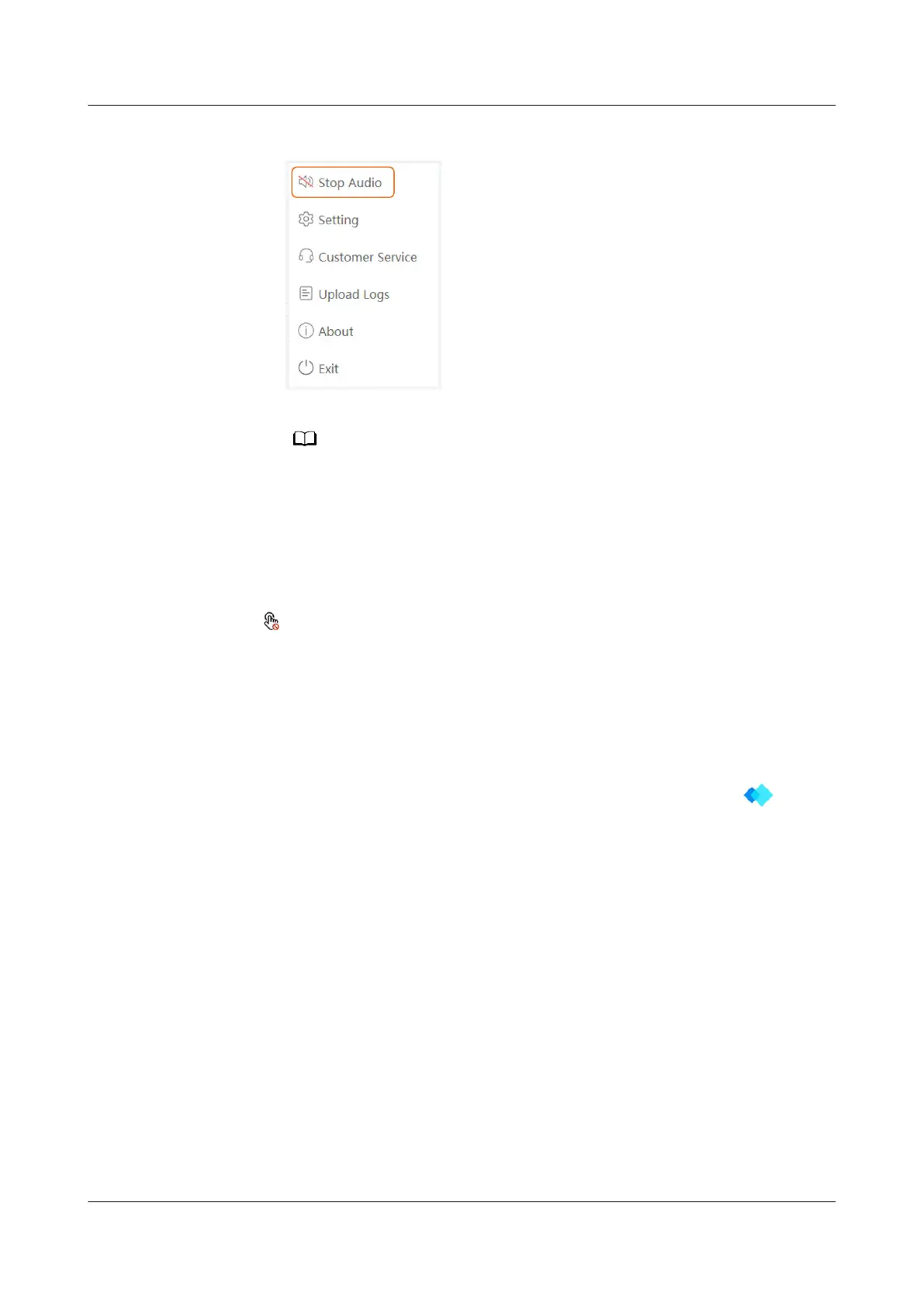
Figure 2-4 Stop Audio
After the rst installation, Cast Audio is enabled by default.
Reverse Control
The IdeaShare Key allows the endpoint to reversely control the computer.
Reverse control method: After the projection is successful, click the reverse control
icon
in the lower right corner of the endpoint to reversely control the
computer.
Switching the Mouse Style
After the IdeaShare Key software is installed on the computer, you can switch the
mouse style to a laser pointer or cursor during projection.
To switch the mouse style, right-click the IdeaShare Key software icon in the
lower right corner of the Windows computer (or in the upper right corner of the
macOS computer) and choose Settings > Mouse display.
Uninstalling the IdeaShare Key Software
For computers running
dierent operating systems, uninstall the IdeaShare Key
software as follows:
● Windows computer:
After the command prompt is displayed, run the C:\Users\
Username
\AppData\Local\IdeaShareKey\uninst.exe command to uninstall the
IdeaShare Key.
● macOS computer:
Open the CLI of the endpoint and run the sudo/Library/IdeaShareKey/
IdeaShareKey.app/Contents/Resources/uninstallkey command to uninstall
the IdeaShare Key.
IdeaShare Key (Type-A)
User Guide 2 How Do I Use the IdeaShare Key?
Issue 01 (2023-03-30) Copyright © Huawei Technologies Co., Ltd. 7


 To Next Page